mirror of
https://github.com/ollama/ollama.git
synced 2026-03-27 02:58:43 +07:00

137 lines
3.6 KiB
Plaintext
137 lines
3.6 KiB
Plaintext
---
|
|
title: Claude Code
|
|
---
|
|
|
|
Claude Code is Anthropic's agentic coding tool that can read, modify, and execute code in your working directory.
|
|
|
|
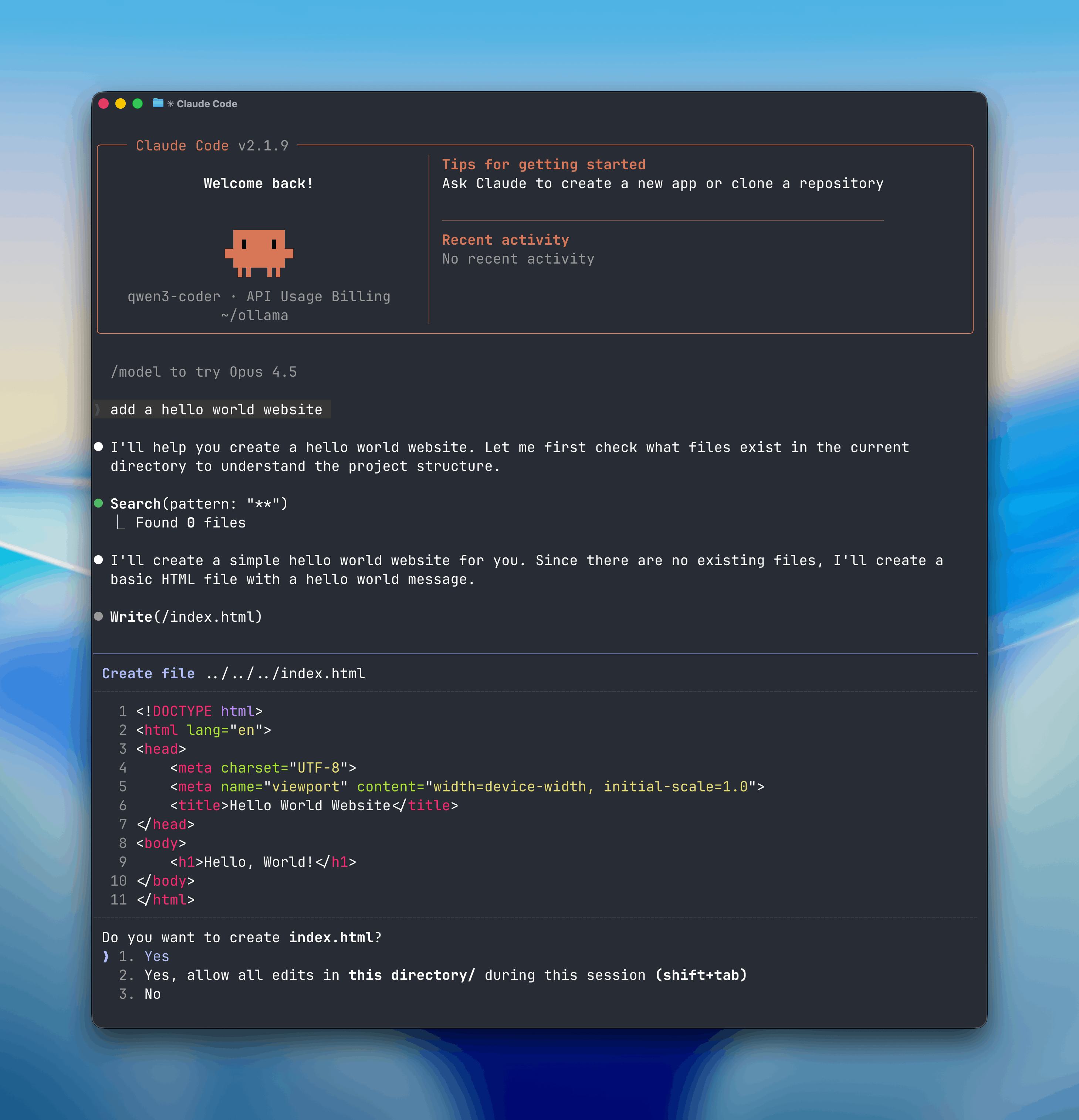
Open models can be used with Claude Code through Ollama's Anthropic-compatible API, enabling you to use models such as `qwen3.5`, `glm-5:cloud`, `kimi-k2.5:cloud`.
|
|
|
|
|
|
|
|
## Install
|
|
|
|
Install [Claude Code](https://code.claude.com/docs/en/overview):
|
|
|
|
<CodeGroup>
|
|
|
|
```shell macOS / Linux
|
|
curl -fsSL https://claude.ai/install.sh | bash
|
|
```
|
|
|
|
```powershell Windows
|
|
irm https://claude.ai/install.ps1 | iex
|
|
```
|
|
|
|
</CodeGroup>
|
|
|
|
## Usage with Ollama
|
|
|
|
### Quick setup
|
|
|
|
```shell
|
|
ollama launch claude
|
|
```
|
|
|
|
### Run directly with a model
|
|
```shell
|
|
ollama launch claude --model kimi-k2.5:cloud
|
|
```
|
|
|
|
## Recommended Models
|
|
|
|
- `kimi-k2.5:cloud`
|
|
- `glm-5:cloud`
|
|
- `minimax-m2.7:cloud`
|
|
- `qwen3.5:cloud`
|
|
- `glm-4.7-flash`
|
|
- `qwen3.5`
|
|
|
|
Cloud models are also available at [ollama.com/search?c=cloud](https://ollama.com/search?c=cloud).
|
|
|
|
## Non-interactive (headless) mode
|
|
|
|
Run Claude Code without interaction for use in Docker, CI/CD, or scripts:
|
|
|
|
```shell
|
|
ollama launch claude --model kimi-k2.5:cloud --yes -- -p "how does this repository work?"
|
|
```
|
|
|
|
The `--yes` flag auto-pulls the model, skips selectors, and requires `--model` to be specified. Arguments after `--` are passed directly to Claude Code.
|
|
|
|
## Web search
|
|
|
|
Claude Code can search the web through Ollama's web search API. See the [web search documentation](/capabilities/web-search) for setup and usage.
|
|
|
|
## Scheduled Tasks with `/loop`
|
|
|
|
The `/loop` command runs a prompt or slash command on a recurring schedule inside Claude Code. This is useful for automating repetitive tasks like checking PRs, running research, or setting reminders.
|
|
|
|
```
|
|
/loop <interval> <prompt or /command>
|
|
```
|
|
|
|
### Examples
|
|
|
|
**Check in on your PRs**
|
|
|
|
```
|
|
/loop 30m Check my open PRs and summarize their status
|
|
```
|
|
|
|
**Automate research tasks**
|
|
|
|
```
|
|
/loop 1h Research the latest AI news and summarize key developments
|
|
```
|
|
|
|
**Automate bug reporting and triaging**
|
|
|
|
```
|
|
/loop 15m Check for new GitHub issues and triage by priority
|
|
```
|
|
|
|
**Set reminders**
|
|
|
|
```
|
|
/loop 1h Remind me to review the deploy status
|
|
```
|
|
|
|
## Telegram
|
|
|
|
Chat with Claude Code from Telegram by connecting a bot to your session. Install the [Telegram plugin](https://github.com/anthropics/claude-plugins-official), create a bot via [@BotFather](https://t.me/BotFather), then launch with the channel flag:
|
|
|
|
```shell
|
|
ollama launch claude -- --channels plugin:telegram@claude-plugins-official
|
|
```
|
|
|
|
Claude Code will prompt for permission on most actions. To allow the bot to work autonomously, configure [permission rules](https://code.claude.com/docs/en/permissions) or pass `--dangerously-skip-permissions` in isolated environments.
|
|
|
|
See the [plugin README](https://github.com/anthropics/claude-plugins-official/tree/main/external_plugins/telegram) for full setup instructions including pairing and access control.
|
|
|
|
## Manual setup
|
|
|
|
Claude Code connects to Ollama using the Anthropic-compatible API.
|
|
|
|
1. Set the environment variables:
|
|
|
|
```shell
|
|
export ANTHROPIC_AUTH_TOKEN=ollama
|
|
export ANTHROPIC_API_KEY=""
|
|
export ANTHROPIC_BASE_URL=http://localhost:11434
|
|
```
|
|
|
|
2. Run Claude Code with an Ollama model:
|
|
|
|
```shell
|
|
claude --model qwen3.5
|
|
```
|
|
|
|
Or run with environment variables inline:
|
|
|
|
```shell
|
|
ANTHROPIC_AUTH_TOKEN=ollama ANTHROPIC_BASE_URL=http://localhost:11434 ANTHROPIC_API_KEY="" claude --model glm-5:cloud
|
|
```
|
|
|
|
**Note:** Claude Code requires a large context window. We recommend at least 64k tokens. See the [context length documentation](/context-length) for how to adjust context length in Ollama.
|
|
|