---
metaLinks:
alternates:
- https://app.gitbook.com/s/j6QEqM3Sd94bdPsX4HaN/admin/registries/add/gitlab
---
# Add a GitLab registry
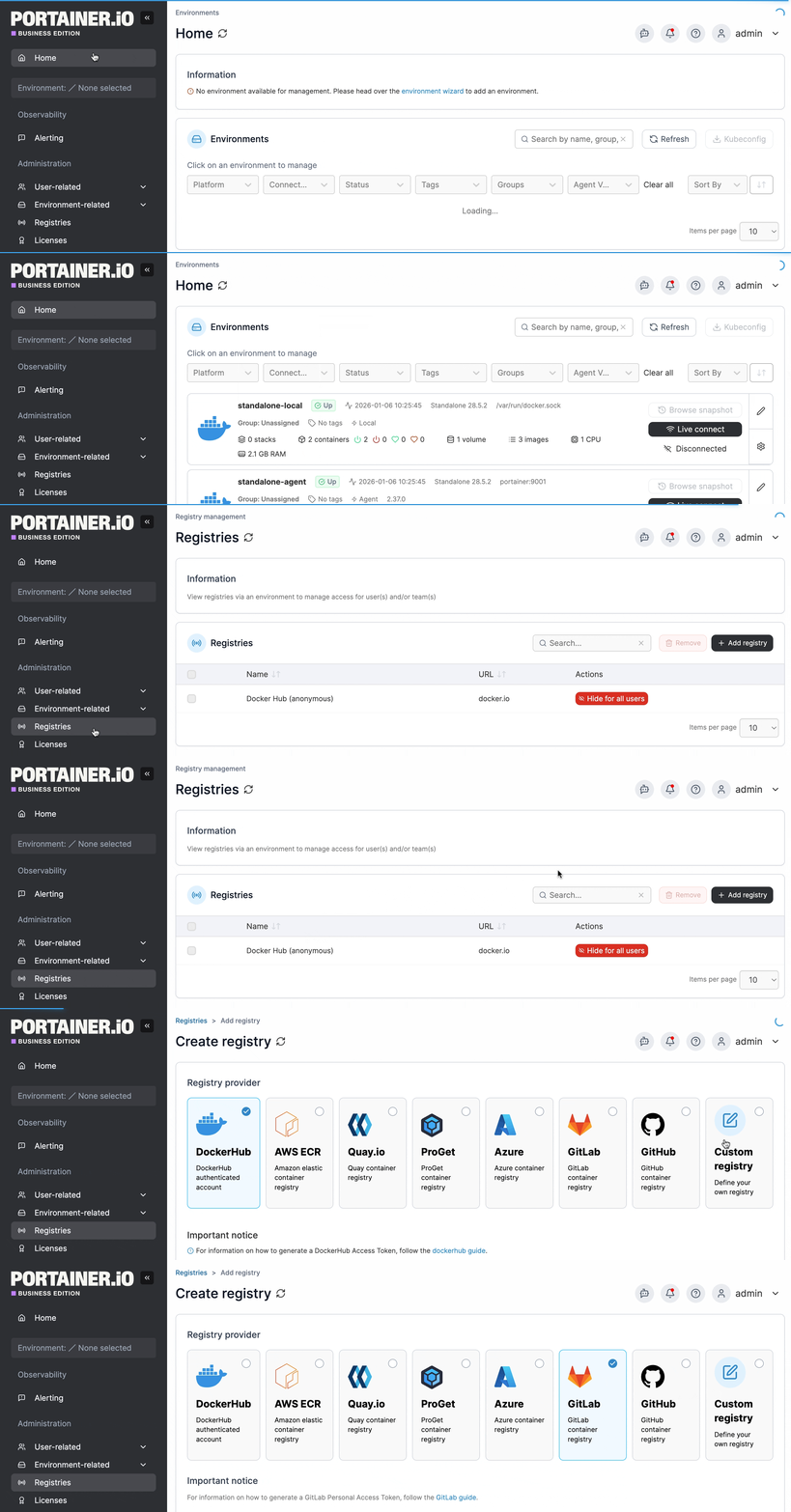
From the menu select **Registries** then click **Add registry** and select **GitLab** as the registry provider.
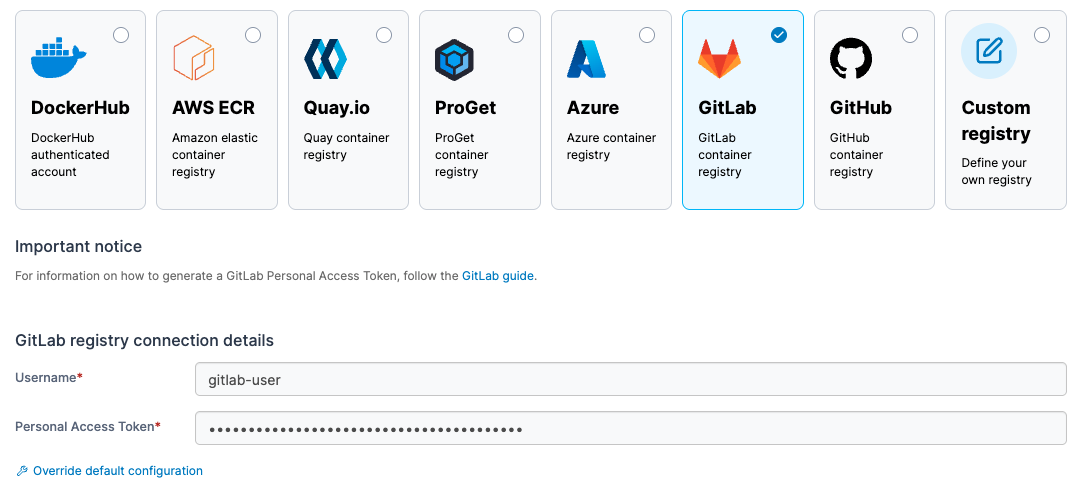
Complete the form, using the table below as a guide.
| Field/Option | Overview |
| ------------------------------ | ---------------------------------------------------------------------------------------------------------------------------------------------------------------- |
| Username | Enter the username you use to log into your GitLab registry. |
| Personal Access Token | Enter the personal access token that corresponds to the username above. Your personal access token will need the `read_api` and `read_registry` scopes assigned. |
| Override default configuration | If you need to make changes to the Portainer defaults for GitLab, you can do so here. |
{% hint style="info" %}
For more information about creating a personal access token, see [Gitlab's own documentation](https://docs.gitlab.com/ee/user/profile/personal_access_tokens.html).
{% endhint %}
When the form is complete, click **Add registry**.