---
metaLinks:
alternates:
- >-
https://app.gitbook.com/s/j6QEqM3Sd94bdPsX4HaN/admin/environments/add/docker/api
---
# Connect to the Docker API
{% hint style="warning" %}
Connecting to the Docker API is a legacy option that does not support edge features or policy management. For most use cases, [the Edge Agent is recommended](../../../../faqs/getting-started/why-do-we-recommend-using-the-edge-agent-instead-of-the-traditional-agent.md).
{% endhint %}
Before you begin, you will need to ensure that your Docker instance is configured to admit remote connections. To learn how to do this, refer to Docker's own documentation. Once Docker is configured, you will be able to connect either with or without TLS.
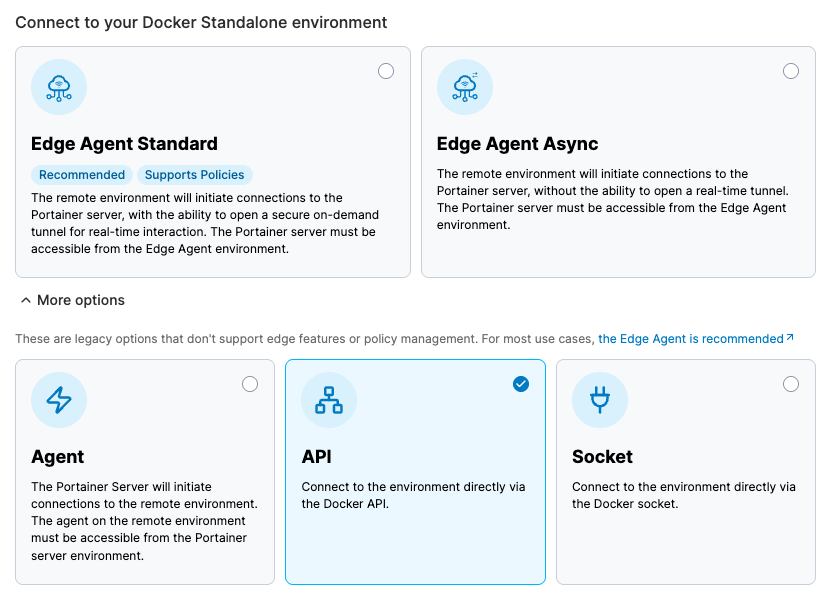
From the menu expand **Environment-related**, click **Environments**, then click **Add environment**.


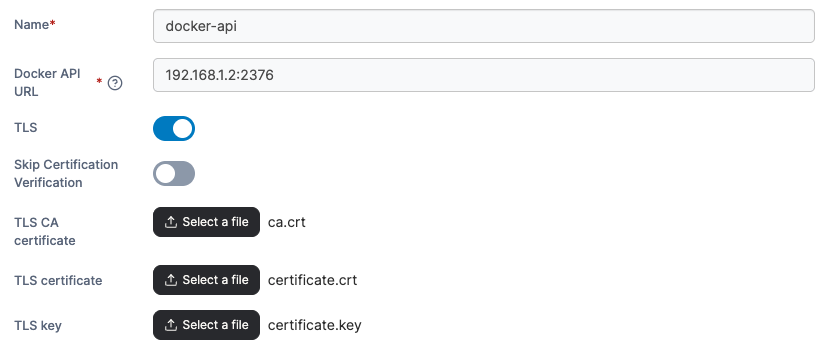
| Field/Option | Overview |
|---|---|
| Name | Give the environment a descriptive name. |
| Docker API URL | Enter the DNS name or IP address to connect to the Docker host along with the port. When connecting without TLS, the default port is 2375. When connecting with TLS, the default port is 2376. |
| TLS | Toggle this option on if you wish to use TLS. Toggle it off if you don't want to use TLS. |
| Skip Certification Verification | Toggle this option on to skip the verification of the TLS certificate used by the Docker API. If this option is off, the below fields will not appear. |
| TLS CA certificate | Select your CA certificate. |
| TLS certificate | Select your certificate. |
| TLS key | Select the key that matches the certificate. |