mirror of
https://github.com/lobehub/lobehub.git
synced 2026-03-29 13:49:31 +07:00
 3eaeb6c531
♻️ refactor: consolidate image generation docs with server database setup

- Merge image-generation-setup content into work-with-server-side-database docs
- Remove duplicate image-generation-setup documentation files
- Add server-side database links to setup-development guides
- Add missing .env.development copy step to setup instructions
- Add .env.development to .gitignore for security

The setup script approach has been replaced by Docker Compose configuration
with .env.example.development file, eliminating documentation duplication
and providing a unified server-side development workflow.
72 lines
2.7 KiB
Plaintext
72 lines
2.7 KiB
Plaintext
# 环境设置指南
|
||
|
||
欢迎阅读 LobeChat 的开发环境设置指南。
|
||
|
||
## 在线开发
|
||
|
||
如果你有 GitHub Codespaces 的使用权限,可以点击下方按钮一键进入在线开发环境:
|
||
|
||
[![][codespaces-shield]][codespaces-link]
|
||
|
||
## 本地开发
|
||
|
||
在开始开发 LobeChat 之前,你需要在本地环境中安装和配置一些必要的软件和工具。本文档将指导你完成这些步骤。
|
||
|
||
### 开发环境需求
|
||
|
||
首先,你需要安装以下软件:
|
||
|
||
- Node.js:LobeChat 是基于 Node.js 构建的,因此你需要安装 Node.js。我们建议安装最新的稳定版。
|
||
- PNPM:我们使用 PNPM 作为管理器。你可以从 [pnpm 的官方网站](https://pnpm.io/installation) 上下载并安装。
|
||
- Bun:我们使用 Bun 作为 npm scripts runner, 你可以从 [Bun 的官方网站](https://bun.com/docs/installation) 上下载并安装。
|
||
- Git:我们使用 Git 进行版本控制。你可以从 Git 的官方网站上下载并安装。
|
||
- IDE:你可以选择你喜欢的集成开发环境(IDE),我们推荐使用 WebStorm/VSCode。
|
||
|
||
### VSCode 用户
|
||
|
||
推荐安装 [.vscode/extensions.json](https://github.com/lobehub/lobe-chat/blob/main/.vscode/extensions.json) 中推荐安装的扩展获得最佳开发体验。
|
||
|
||
### 项目设置
|
||
|
||
完成上述软件的安装后,你可以开始设置 LobeChat 项目了。
|
||
|
||
1. **获取代码**:首先,你需要从 GitHub 上克隆 LobeChat 的代码库。在终端中运行以下命令:
|
||
|
||
```bash
|
||
git clone https://github.com/lobehub/lobe-chat.git
|
||
```
|
||
|
||
2. **安装依赖**:然后,进入项目目录,并使用 `pnpm` 安装项目的依赖包:
|
||
|
||
```bash
|
||
cd lobe-chat
|
||
pnpm i
|
||
```
|
||
|
||
3. **启动开发服务器**:安装完依赖后,你可以启动开发服务器:
|
||
|
||
```bash
|
||
bun run dev
|
||
```
|
||
|
||
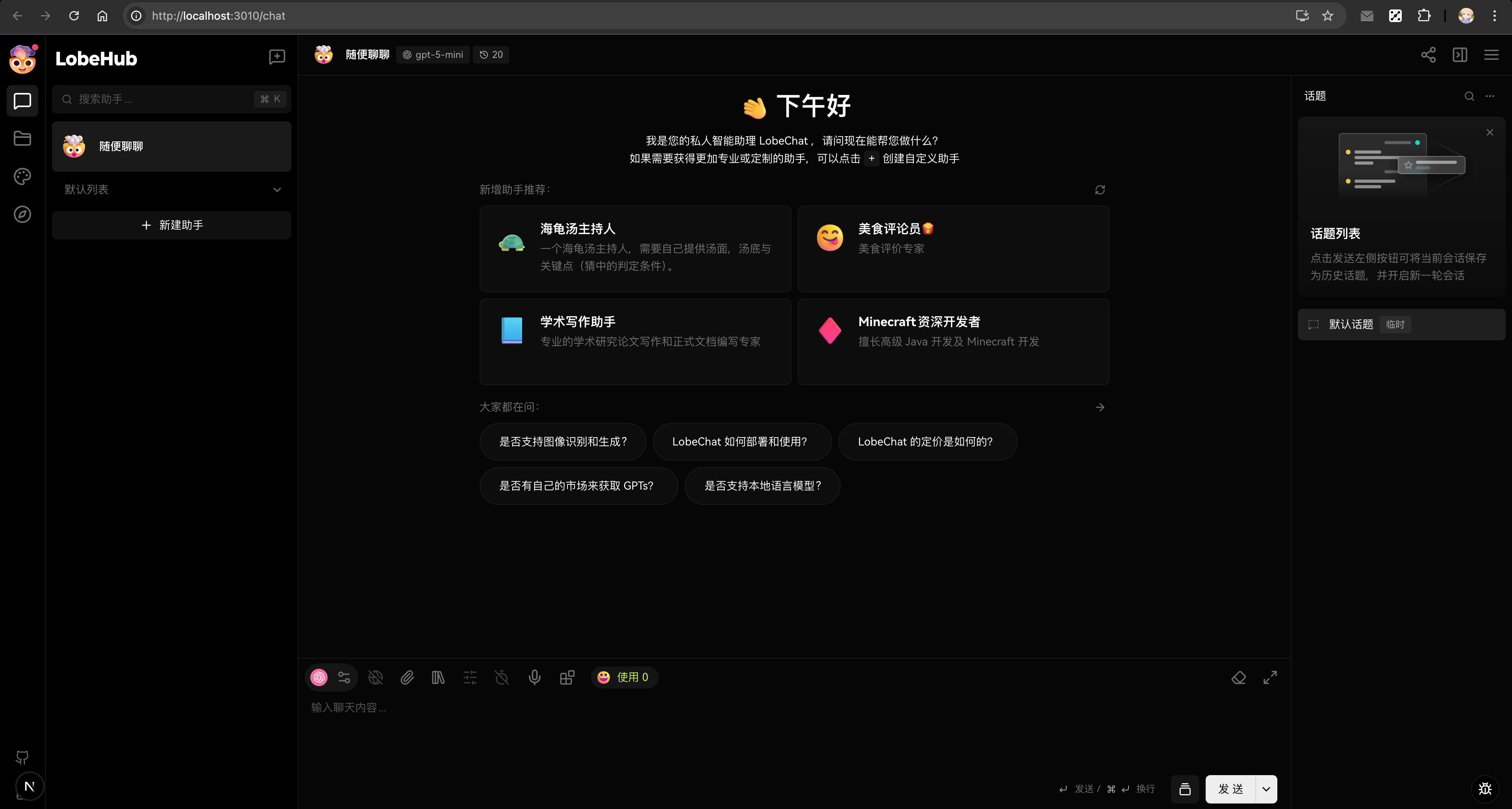
现在,你可以在浏览器中打开 `http://localhost:3010`,你应该能看到 LobeChat 的欢迎页面。这表明你已经成功地设置了开发环境。
|
||
|
||
|
||
|
||
## 使用服务端功能
|
||
|
||
上述基础设置使用 LobeChat 的客户端数据库模式。如果你需要开发服务端功能,如:
|
||
|
||
- 数据库持久化
|
||
- 文件上传和存储
|
||
- 图像生成
|
||
- 多用户身份验证
|
||
- 高级服务端集成
|
||
|
||
请参考[使用服务端数据库](/docs/development/basic/work-with-server-side-database)指南获得完整的设置说明。
|
||
|
||
在开发过程中,如果你在环境设置上遇到任何问题,或者有任何关于 LobeChat 开发的问题,欢迎随时向我们提问。我们期待看到你的贡献!
|
||
|
||
[codespaces-link]: https://codespaces.new/lobehub/lobe-chat
|
||
[codespaces-shield]: https://github.com/codespaces/badge.svg
|