mirror of
https://github.com/langgenius/dify-docs.git
synced 2026-03-27 13:28:32 +07:00

44 lines
2.4 KiB
Plaintext
44 lines
2.4 KiB
Plaintext
---
|
|
dimensions:
|
|
type:
|
|
primary: reference
|
|
detail: core
|
|
level: beginner
|
|
standard_title: Remote Debug a Plugin
|
|
language: ja
|
|
title: プラグインのデバッグ
|
|
description: このドキュメントでは、Dify のリモートデバッグ機能を使用してプラグインをテストする方法を紹介します。デバッグ情報の取得、環境変数ファイルの設定、プラグインのリモートデバッグの開始、およびプラグインインストール状況の確認といった一連のプロセスを詳しく説明します。これにより、開発者はローカルで開発しながら、Dify
|
|
環境でリアルタイムにプラグインをテストできます。
|
|
---
|
|
|
|
プラグイン開発が完了したら、次にプラグインが正常に動作するかをテストする必要があります。Difyは便利なリモートデバッグ方法を提供し、テスト環境でプラグインの機能を迅速に検証するのに役立ちます。
|
|
|
|
[「プラグイン管理」](https://cloud.dify.ai/plugins)ページに移動し、リモートサーバーアドレスとデバッグキーを取得します。
|
|
|
|

|
|
|
|
プラグインプロジェクトに戻り、`.env.example` ファイルをコピーして `.env` にリネームし、取得したリモートサーバーアドレスやデバッグキーなどの情報を入力します。
|
|
|
|
`.env` ファイル:
|
|
|
|
```bash
|
|
INSTALL_METHOD=remote
|
|
REMOTE_INSTALL_URL=debug.dify.ai:5003
|
|
REMOTE_INSTALL_KEY=********-****-****-****-************
|
|
```
|
|
|
|
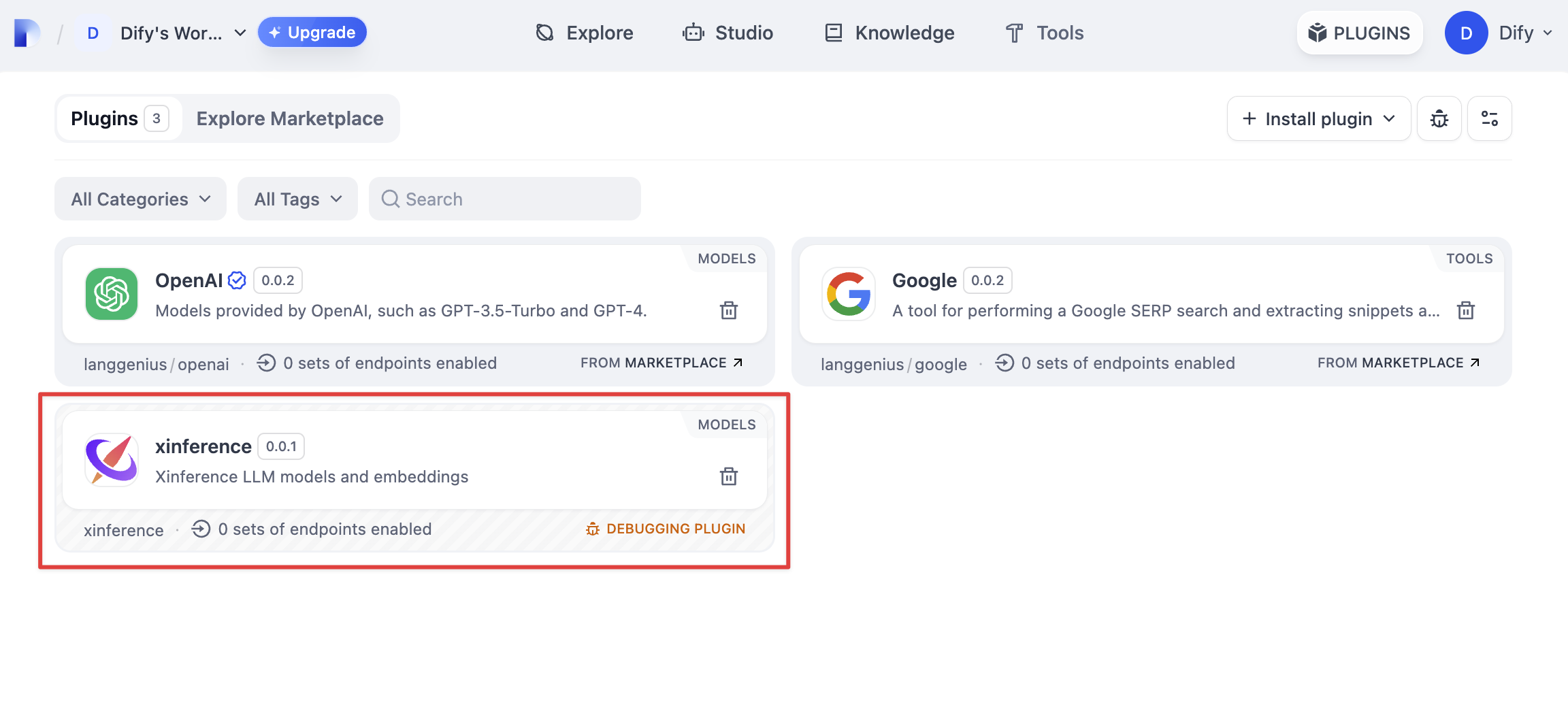
`python -m main` コマンドを実行してプラグインを起動します。「プラグイン」ページで、このプラグインがワークスペース内にインストールされていることが確認でき、チームの他のメンバーもこのプラグインにアクセスできます。
|
|
|
|
|
|
|
|
{/*
|
|
Contributing Section
|
|
DO NOT edit this section!
|
|
It will be automatically generated by the script.
|
|
*/}
|
|
|
|
---
|
|
|
|
[このページを編集する](https://github.com/langgenius/dify-docs/edit/main/plugin-dev-ja/0411-remote-debug-a-plugin.mdx) | [問題を報告する](https://github.com/langgenius/dify-docs/issues/new?template=docs.yml)
|
|
|