mirror of
https://github.com/langgenius/dify-docs.git
synced 2026-04-05 14:58:37 +07:00

55 lines
1.9 KiB
Plaintext
55 lines
1.9 KiB
Plaintext
---
|
||
title: 插件管理
|
||
---
|
||
|
||
|
||
本文档将指导 Workspace 所有者、管理员配置和管理插件的权限设置。插件权限控制决定了哪些用户可以执行插件相关的操作。
|
||
|
||
### 调整插件权限
|
||
|
||
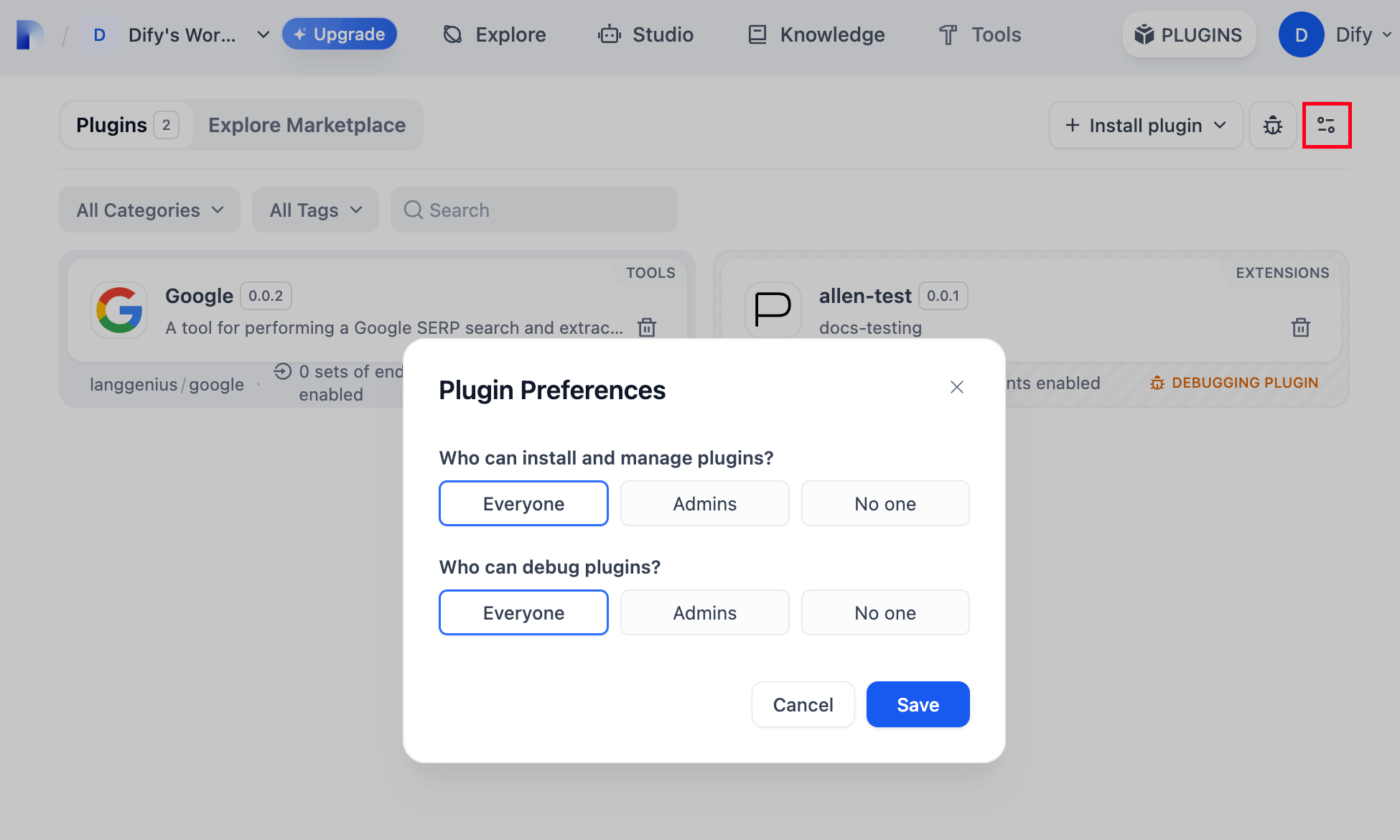
团队所有者、管理员可以在 Dify 平台首页右上角的 **“插件”** 页控制以下插件权限:
|
||
|
||
* **安装和管理插件权限**
|
||
|
||
此权限控制谁可以安装和管理系统中的插件。
|
||
|
||
可选项:
|
||
|
||
* **Everyone(所有人)**:允许 Workspace 内所有用户安装和管理插件
|
||
* **Admins(管理员)**:仅限 Workspace 管理员安装和管理插件
|
||
* **No one(无人)**:禁止所有人安装和管理插件
|
||
* **插件调试权限**
|
||
|
||
此权限控制谁可以进行插件的调试工作。
|
||
|
||
可选项:
|
||
|
||
* **Everyone(所有人)**:允许 Workspace 内所有用户调试插件
|
||
* **Admins(管理员)**:仅限 Workspace 管理员调试插件
|
||
* **No one(无人)**:禁止所有人调试插件
|
||
|
||
|
||
|
||
### 升级插件
|
||
|
||
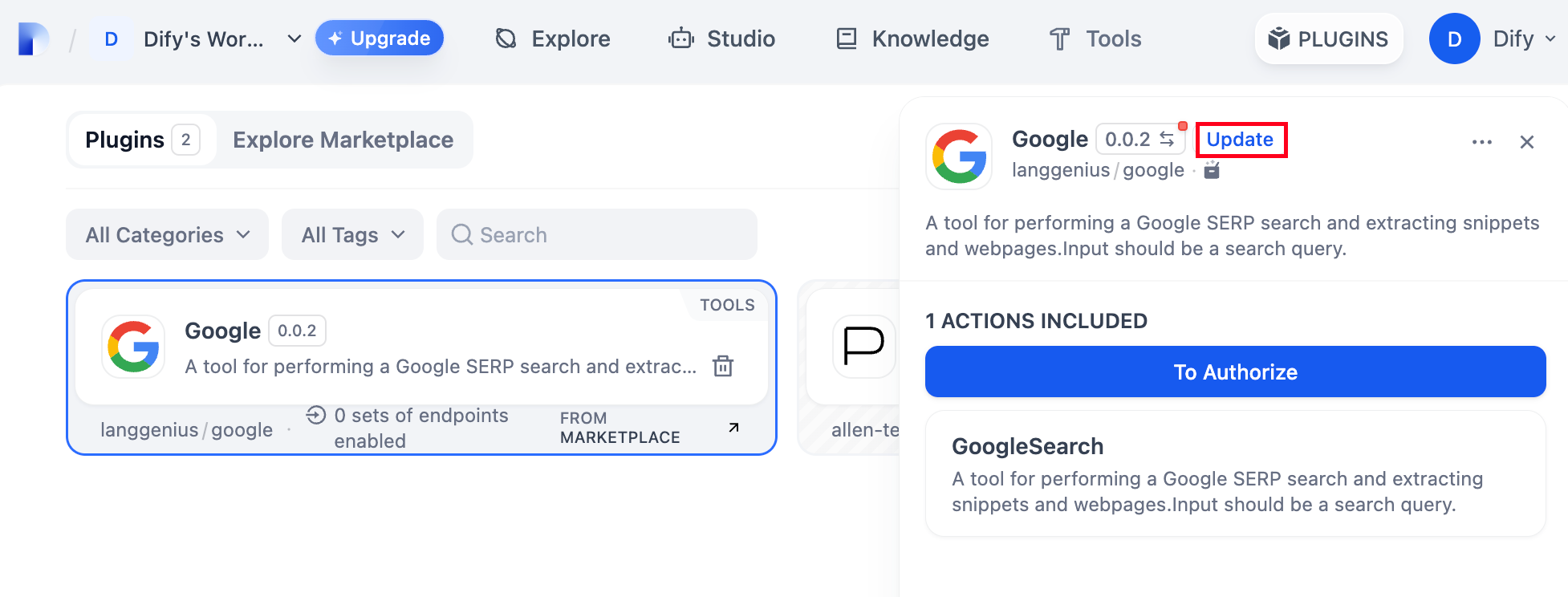
点击 Dify 平台右上角的“插件”按钮,选择需要更新的插件,轻点插件标题右侧 **“升级”** 钮。
|
||
|
||
|
||
|
||
### 删除插件
|
||
|
||
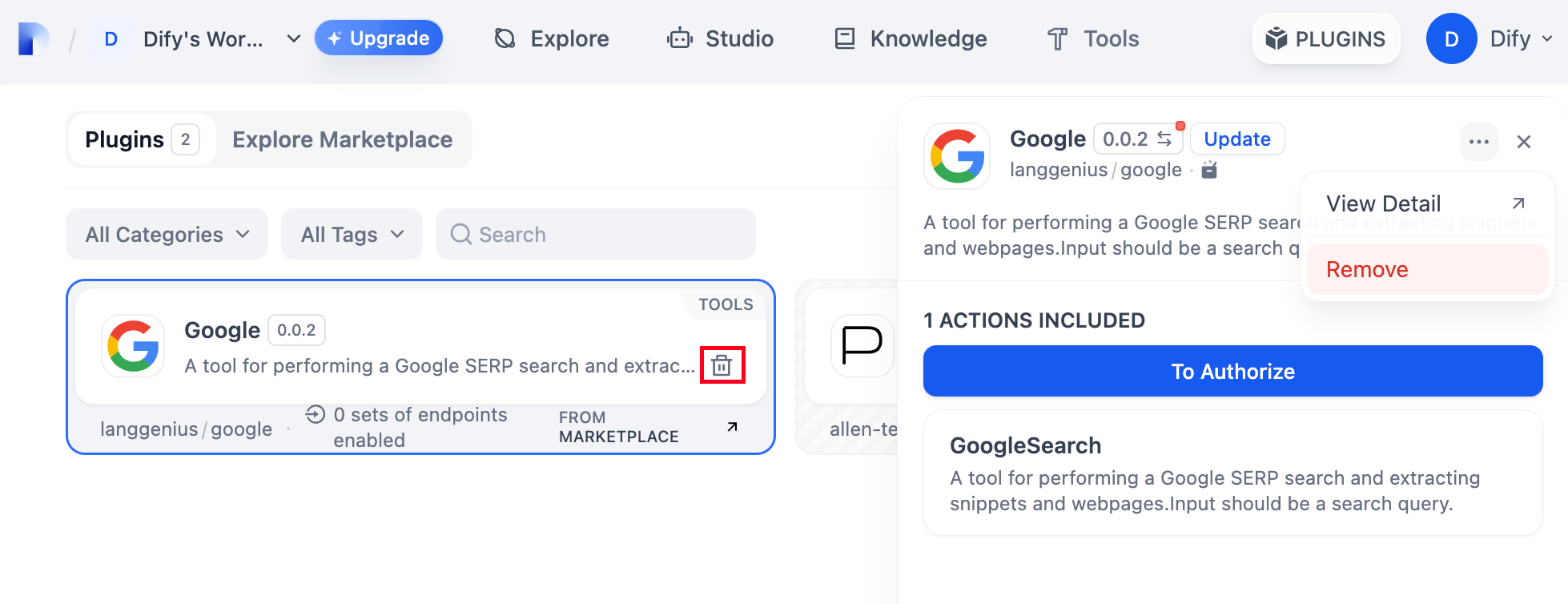
点击 Dify 平台右上角的“插件”按钮,你可以看到当前 Workspace 内的所有已安装插件。点击“删除” icon 或插件详情页右侧的 Remove 移除插件。
|
||
|
||
|
||
|
||
{/*
|
||
Contributing Section
|
||
DO NOT edit this section!
|
||
It will be automatically generated by the script.
|
||
*/}
|
||
|
||
---
|
||
|
||
[编辑此页面](https://github.com/langgenius/dify-docs/edit/main/zh-hans/plugins/manage-plugins.mdx) | [提交问题](https://github.com/langgenius/dify-docs/issues/new?template=docs.yml)
|
||
|