mirror of
https://github.com/langgenius/dify-docs.git
synced 2026-04-01 14:18:37 +07:00

37 lines
1.7 KiB
Plaintext
37 lines
1.7 KiB
Plaintext
---
|
||
title: 複数モデルのデバッグ
|
||
---
|
||
|
||
**チャットボット**アプリは、**「複数モデルでデバッグ」**機能をサポートしており、同じ質問に対する異なるモデルの応答を同時に比較できます。
|
||
|
||
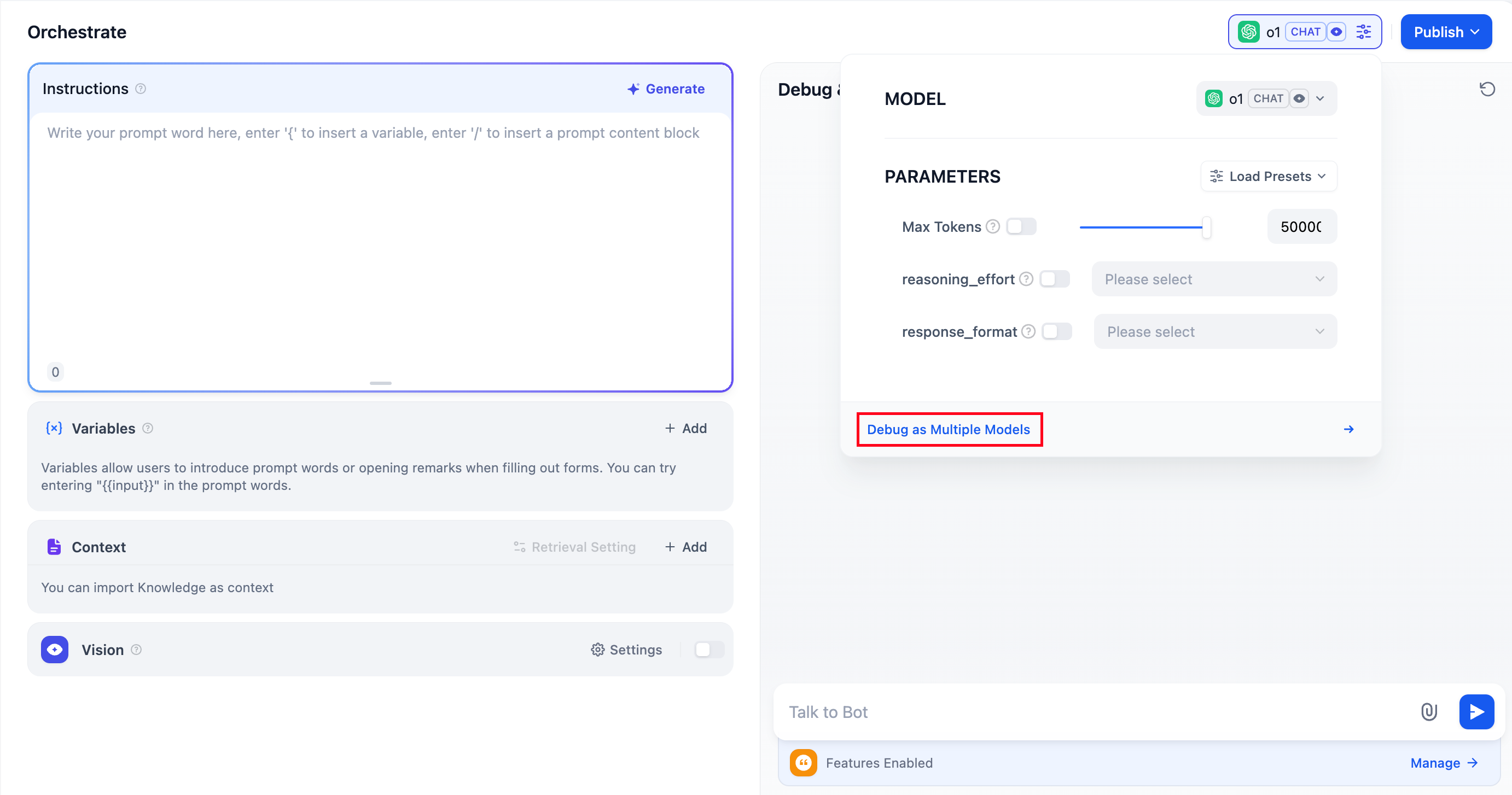
|
||
|
||
一度に最大**4つ**の大規模言語モデルを追加できます。
|
||
|
||
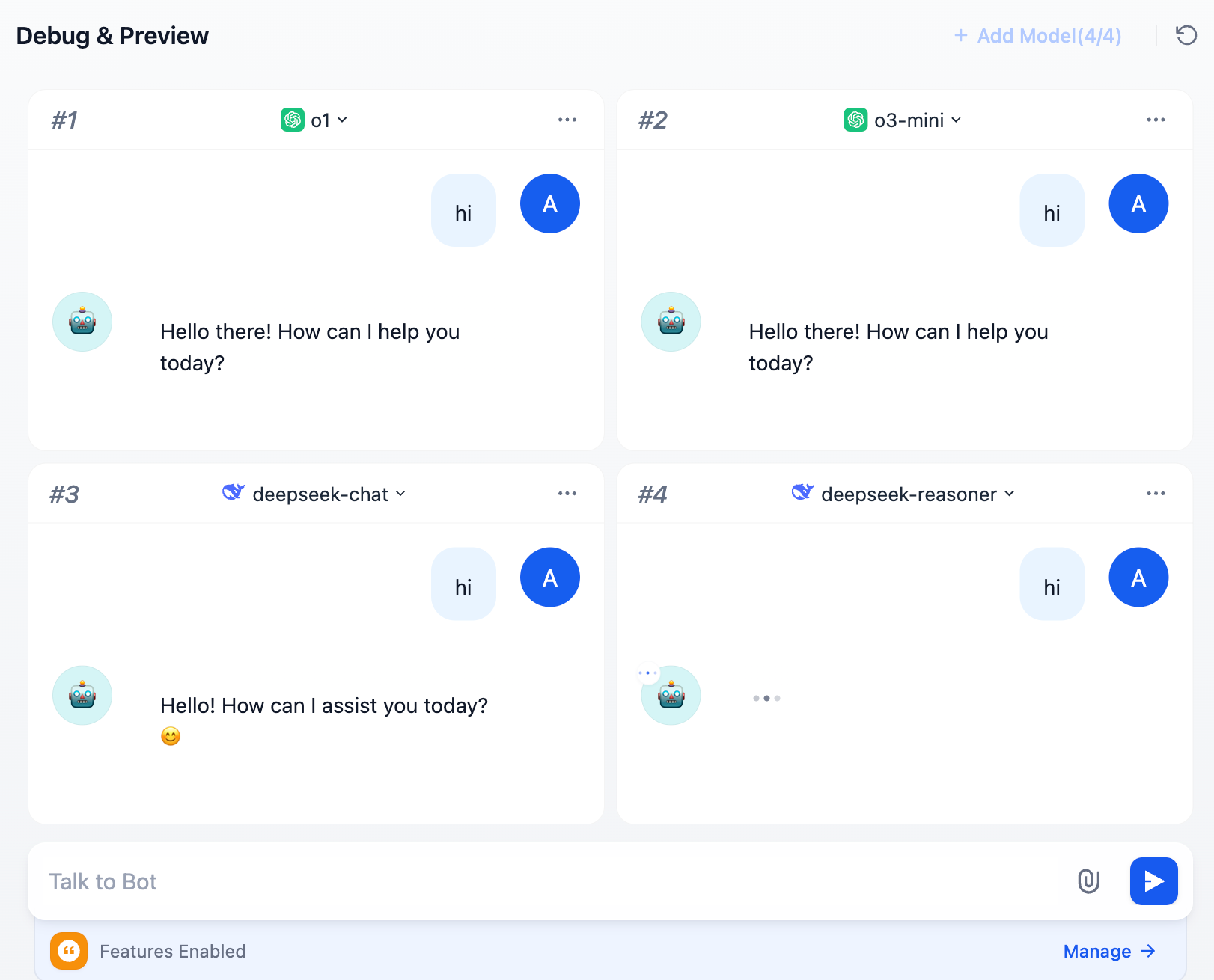
|
||
|
||
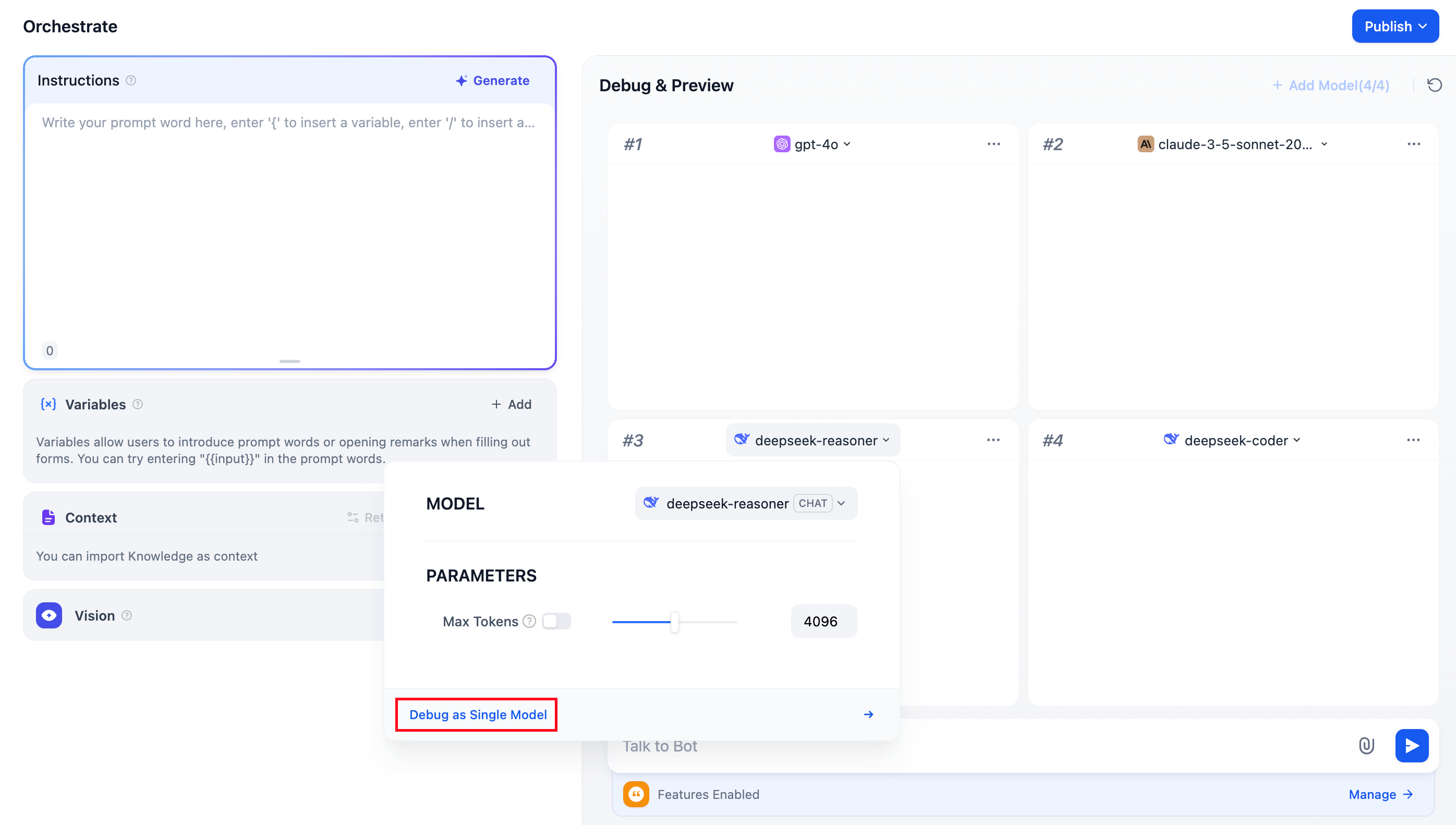
デバッグ中に、優れたパフォーマンスを発揮するモデルが見つかった場合は、**「単一モデルでデバッグ」**をクリックすると、そのモデル専用のプレビューウィンドウに切り替わります。
|
||
|
||
|
||
|
||
## よくある質問
|
||
|
||
### 1. LLMを追加する際に、モデルが一覧に表示されないのはなぜですか?
|
||
|
||
[「モデルプロバイダー」](/ja-jp/guides/model-configuration/readme)にアクセスし、指示に従って複数のモデルのキーを手動で追加してください。
|
||
|
||
### 2. 複数モデルデバッグモードを終了するにはどうすればよいですか?
|
||
|
||
いずれかのモデルを選択し、**「単一モデルでデバッグ」** をクリックすると、複数モデルデバッグモードを終了できます。
|
||
|
||
{/*
|
||
Contributing Section
|
||
DO NOT edit this section!
|
||
It will be automatically generated by the script.
|
||
*/}
|
||
|
||
---
|
||
|
||
[このページを編集する](https://github.com/langgenius/dify-docs/edit/main/ja-jp/guides/application-orchestrate/multiple-llms-debugging.mdx) | [問題を報告する](https://github.com/langgenius/dify-docs/issues/new?template=docs.yml)
|
||
|