mirror of
https://github.com/langgenius/dify-docs.git
synced 2026-03-28 13:38:36 +07:00

69 lines
2.8 KiB
Plaintext
69 lines
2.8 KiB
Plaintext
---
|
|
title: Tools
|
|
---
|
|
|
|
|
|
The workflow provides a rich selection of tools, categorized into three types:
|
|
|
|
* **Built-in Tools**: Tools provided by Dify.
|
|
* **Custom Tools**: Tools imported or configured via the OpenAPI/Swagger standard format.
|
|
* **Workflows**: Workflows that have been published as tools.
|
|
|
|
## Add and Use the Tool Node
|
|
|
|
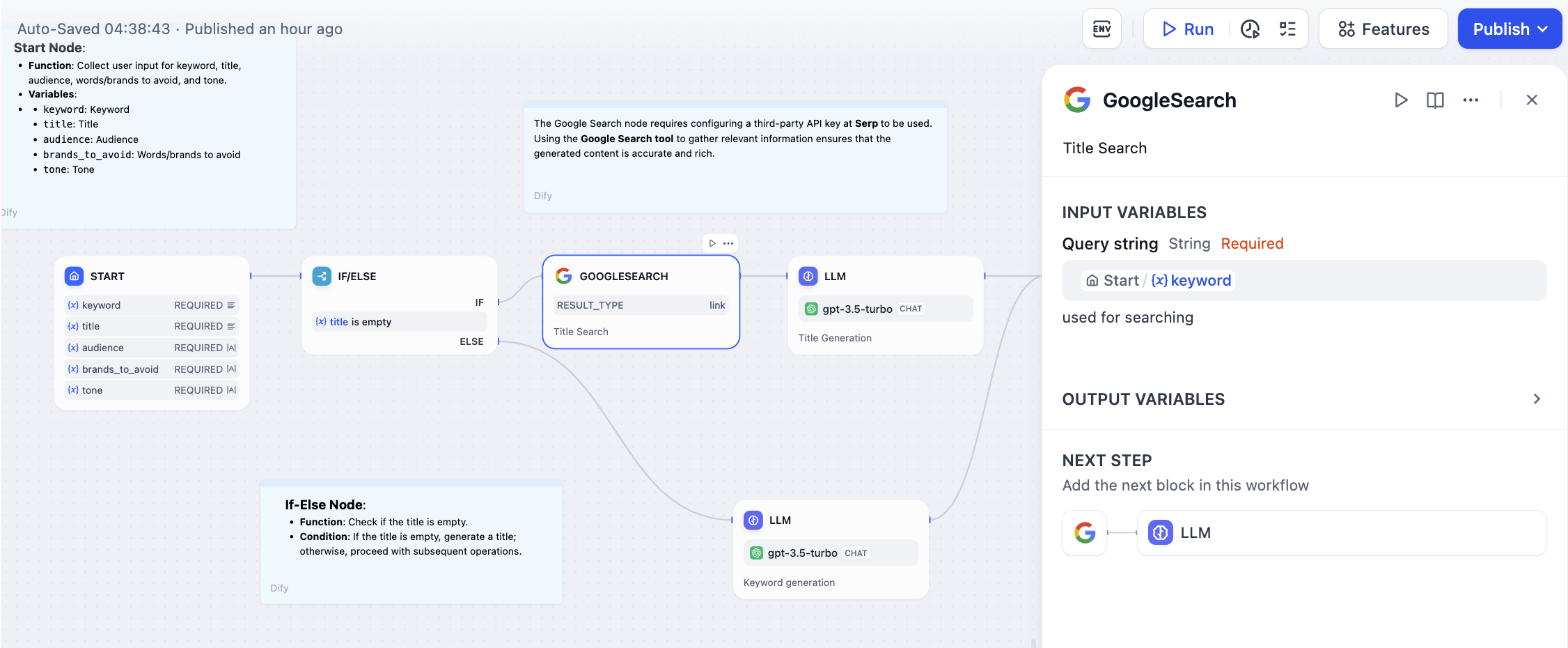
Before using built-in tools, you may need to **authorize** the tools.
|
|
|
|
If built-in tools do not meet your needs, you can create custom tools in the **Dify menu navigation -- Tools** section.
|
|
|
|
You can also orchestrate a more complex workflow and publish it as a tool.
|
|
|
|
<p align="center">
|
|
<img src="https://assets-docs.dify.ai/dify-enterprise-mintlify/en/guides/workflow/node/0f0255764a3f459f0b3c708db1cb32c9.png" width="300" />
|
|
</p>
|
|
|
|
|
|
|
|
Configuring a tool node generally involves two steps:
|
|
|
|
1. Authorizing the tool/creating a custom tool/publishing a workflow as a tool.
|
|
2. Configuring the tool's input and parameters.
|
|
|
|
For more information on how to create custom tools and configure them, please refer to the [Tool Configuration Guide](/en/guides/tools).
|
|
|
|
### Advanced Features
|
|
|
|
**Retry on Failure**
|
|
|
|
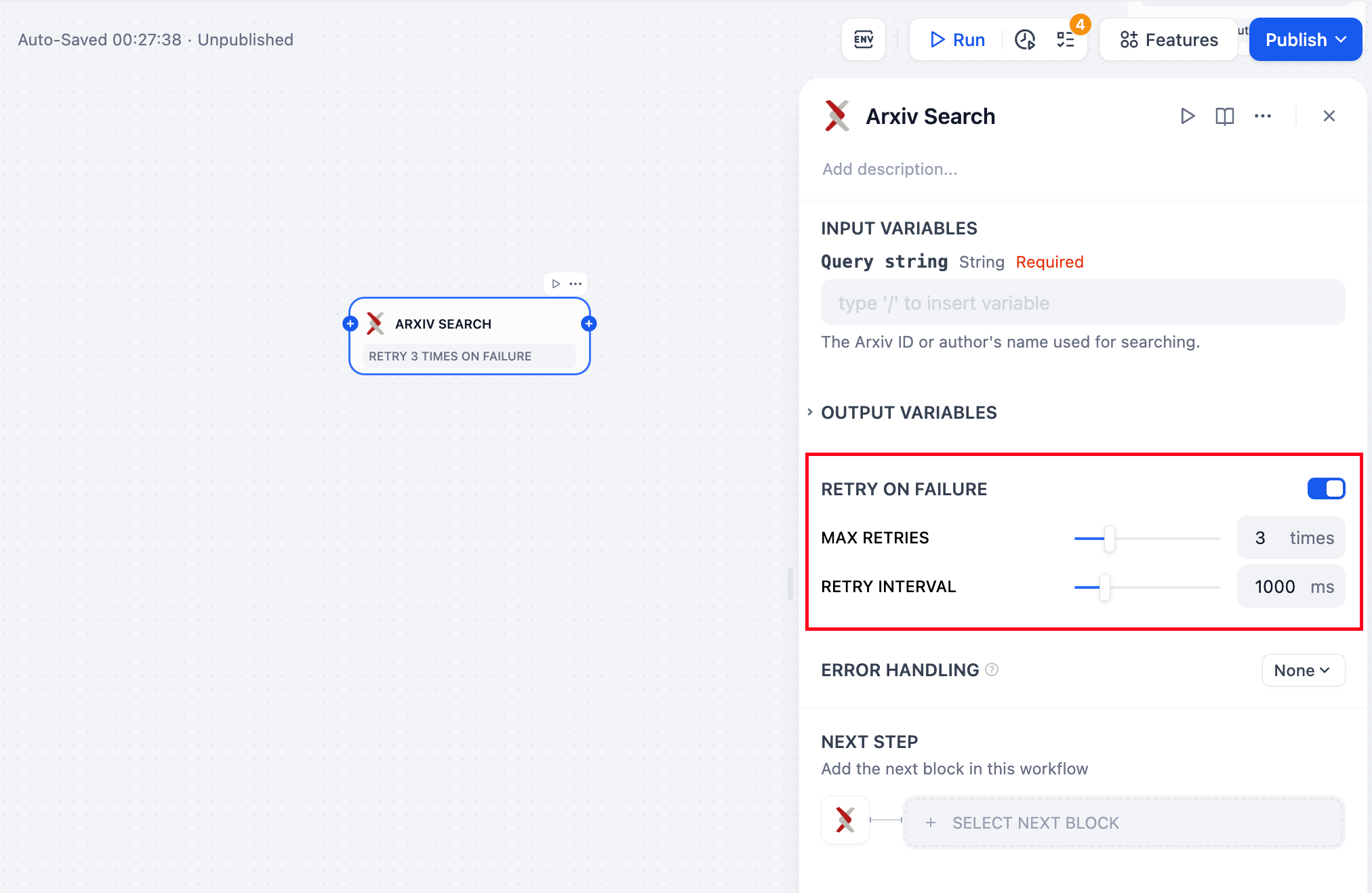
For some exceptions that occur in the node, it is usually sufficient to retry the node again. When the error retry function is enabled, the node will automatically retry according to the preset strategy when an error occurs. You can adjust the maximum number of retries and the interval between each retry to set the retry strategy.
|
|
|
|
- The maximum number of retries is 10
|
|
- The maximum retry interval is 5000 ms
|
|
|
|
|
|
|
|
**Error Handling**
|
|
|
|
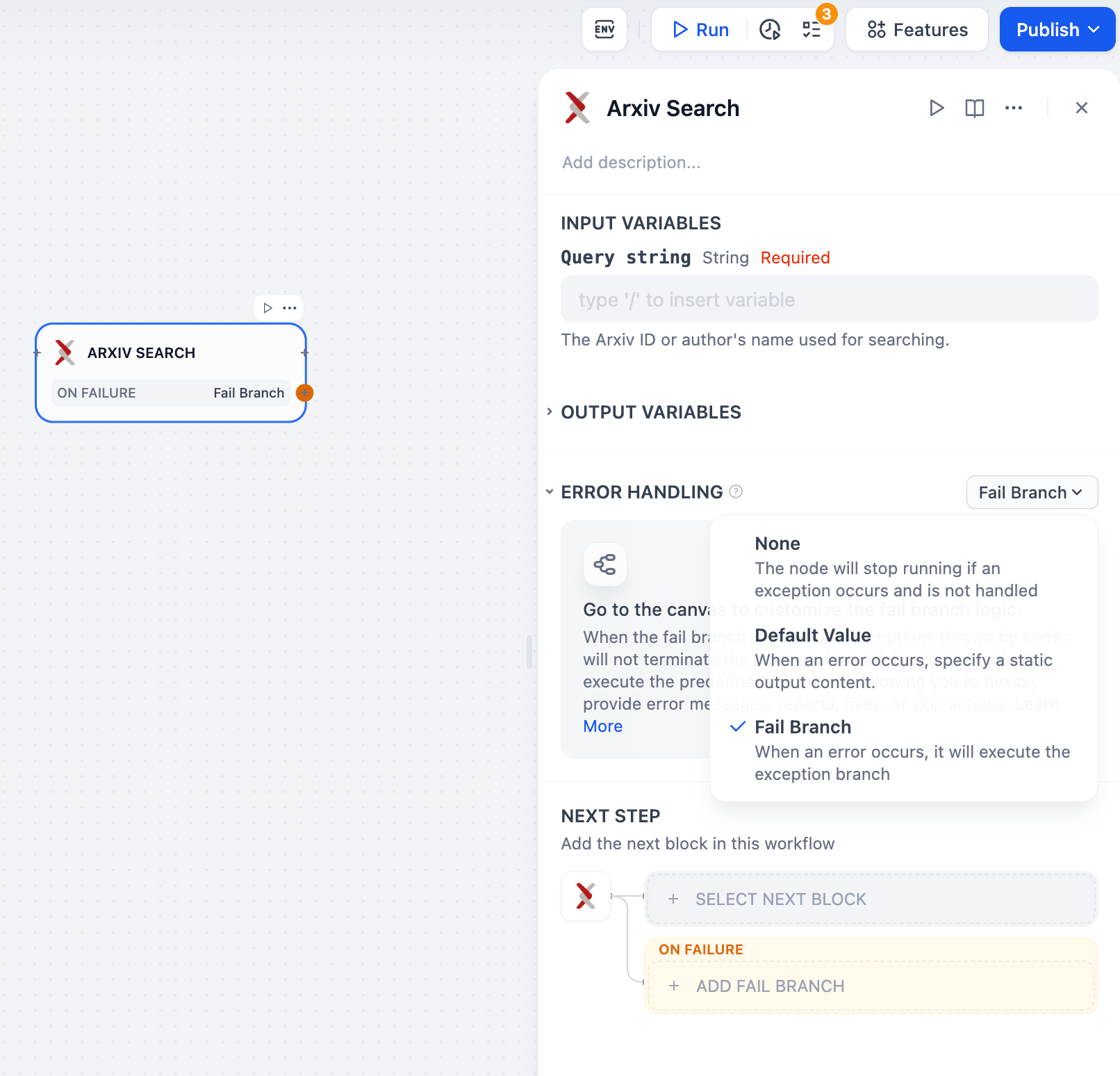
Tool nodes may encounter errors during information processing that could interrupt the workflow. Developers can follow these steps to configure fail branches, enabling contingency plans when nodes encounter exceptions, avoiding workflow interruptions.
|
|
|
|
1. Enable "Error Handling" in the tool node
|
|
2. Select and configure an error-handling strategy
|
|
|
|
|
|
|
|
For more information about exception handling approaches, please refer to [Error Handling](/en/guides/workflow/error-handling).
|
|
|
|
## Publishing Workflow Applications as Tools
|
|
|
|
Workflow applications can be published as tools and used by nodes in other workflows. For information about creating custom tools and tool configuration, please refer to the [Tool Configuration Guide](/en/guides/tools).
|
|
|
|
{/*
|
|
Contributing Section
|
|
DO NOT edit this section!
|
|
It will be automatically generated by the script.
|
|
*/}
|
|
|
|
---
|
|
|
|
[Edit this page](https://github.com/langgenius/dify-docs/edit/main/en/guides/workflow/node/tools.mdx) | [Report an issue](https://github.com/langgenius/dify-docs/issues/new?template=docs.yml)
|
|
|