mirror of
https://github.com/langgenius/dify-docs.git
synced 2026-03-27 13:28:32 +07:00

54 lines
1.8 KiB
Plaintext
54 lines
1.8 KiB
Plaintext
---
|
||
title: 插件调试
|
||
---
|
||
|
||
|
||
|
||
{/*
|
||
贡献者注意:
|
||
----------------
|
||
本文档为旧版文档,即将弃用。
|
||
请勿对此版本进行更改。
|
||
所有更新应指向新版本:
|
||
/plugin-dev-zh/0411-remote-debug-a-plugin
|
||
*/}
|
||
|
||
<Card title="本文档即将弃用" icon="circle-exclamation" href="/plugin-dev-zh/0411-remote-debug-a-plugin">
|
||
<p>作为我们文档重组的一部分,此页面正在逐步淘汰。</p>
|
||
|
||
<p><u><b>点击此卡片</b></u>跳转到包含最新信息的更新版本。</p>
|
||
|
||
<p>如果您在新的文档中发现任何差异或需要改进的地方,请使用页面底部的“报告问题”按钮。</p>
|
||
</Card>
|
||
|
||
插件开发完成后,接下来需要测试插件是否可以正常运行。Dify 提供便捷地远程调试方式,帮助你快速在测试环境中验证插件功能。
|
||
|
||
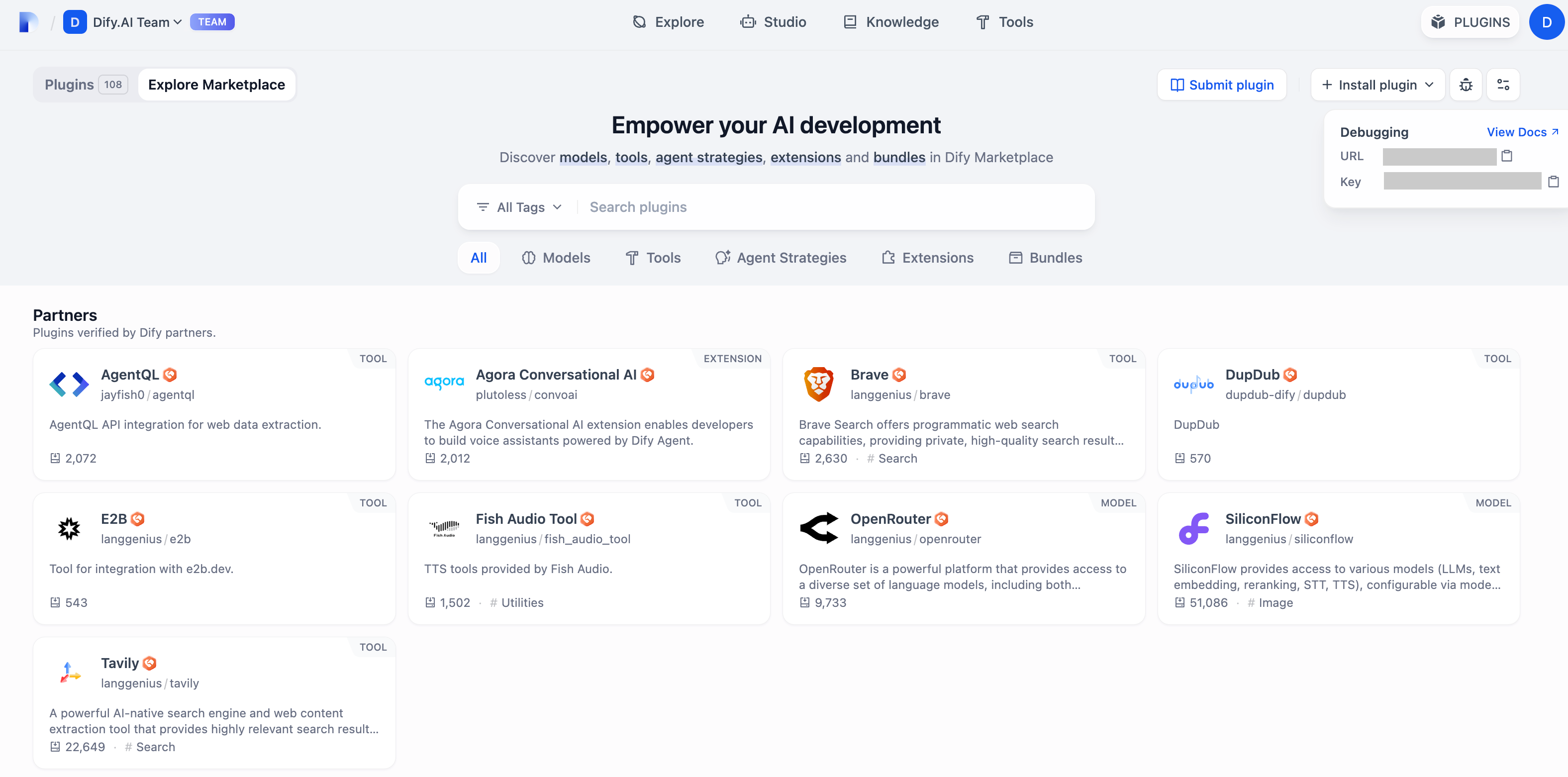
前往[“插件管理”](https://cloud.dify.ai/plugins)页获取远程服务器地址和调试 Key。
|
||
|
||
|
||
|
||
回到插件项目,拷贝 `.env.example` 文件并重命名为 `.env`,将获取的远程服务器地址和调试 Key 等信息填入其中。
|
||
|
||
`.env` 文件:
|
||
|
||
```bash
|
||
INSTALL_METHOD=remote
|
||
REMOTE_INSTALL_URL=debug.dify.ai:5003
|
||
REMOTE_INSTALL_KEY=********-****-****-****-************
|
||
```
|
||
|
||
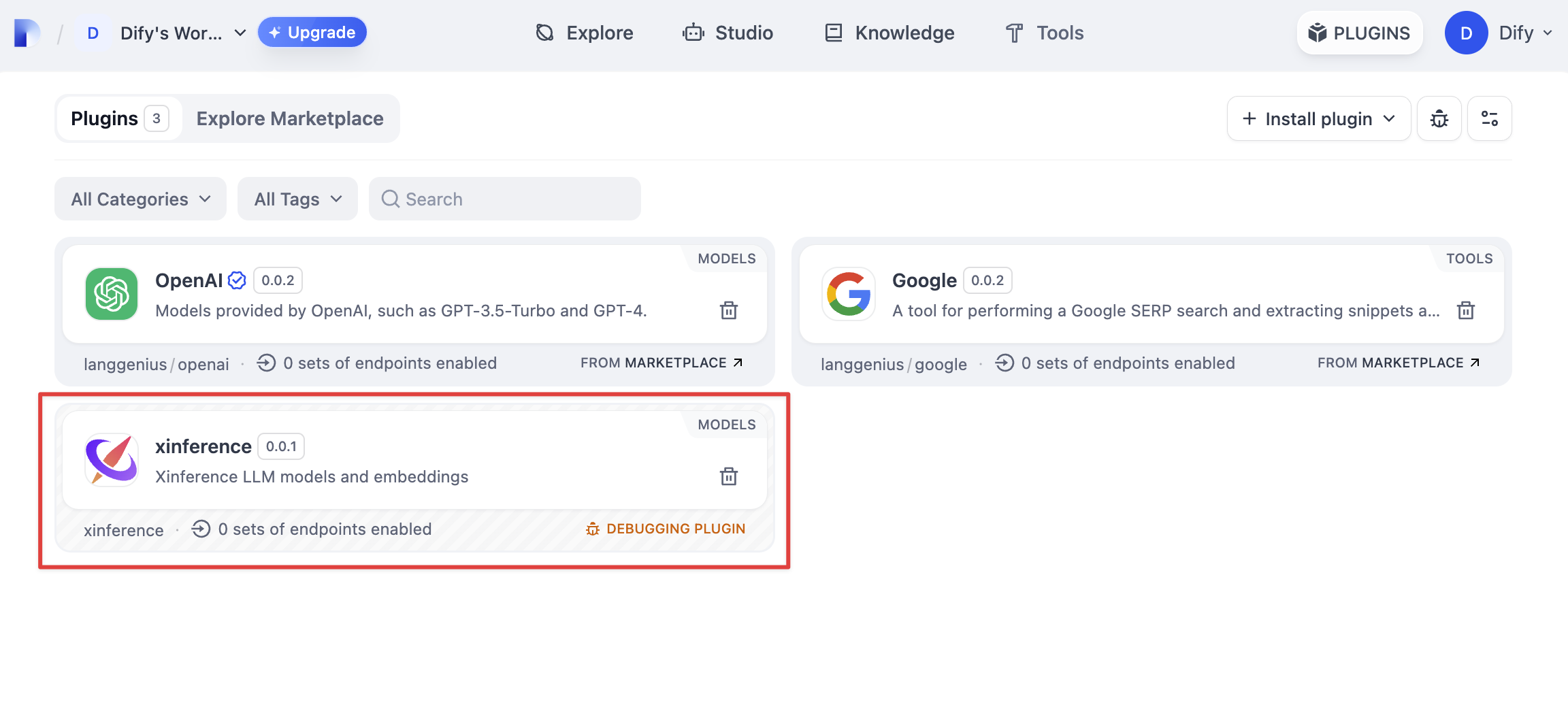
运行 `python -m main` 命令启动插件。在插件页即可看到该插件已被安装至 Workspace 内,团队中的其他成员也可以访问该插件。
|
||
|
||
|
||
|
||
{/*
|
||
Contributing Section
|
||
DO NOT edit this section!
|
||
It will be automatically generated by the script.
|
||
*/}
|
||
|
||
---
|
||
|
||
[编辑此页面](https://github.com/langgenius/dify-docs/edit/main/zh-hans/plugins/quick-start/debug-plugin.mdx) | [提交问题](https://github.com/langgenius/dify-docs/issues/new?template=docs.yml)
|
||
|