mirror of
https://github.com/langgenius/dify-docs.git
synced 2026-03-27 13:28:32 +07:00

57 lines
2.6 KiB
Plaintext
57 lines
2.6 KiB
Plaintext
---
|
|
title: プラグインのデバッグ方法
|
|
---
|
|
|
|
|
|
{/*
|
|
コントリビューター注:
|
|
----------------
|
|
これはレガシードキュメントであり、非推奨になります。
|
|
このバージョンに変更を加えないでください。
|
|
すべての更新は新しいバージョンに向けられるべきです:
|
|
/plugin-dev-ja/0411-remote-debug-a-plugin
|
|
*/}
|
|
|
|
<Card title="このドキュメントはまもなく非推奨になります" icon="circle-exclamation" href="/plugin-dev-ja/0411-remote-debug-a-plugin">
|
|
<p>ドキュメント再編の一環として、このページは段階的に廃止されます。</p>
|
|
|
|
<p><u><b>このカードをクリックして</b></u>、最新情報が含まれる更新版にリダイレクトしてください。</p>
|
|
|
|
<p>新しいドキュメントに不一致や改善が必要な箇所を見つけた場合は、ページ下部の「問題を報告」ボタンを使用してください。</p>
|
|
</Card>
|
|
|
|
プラグインの開発が完了したら、次は正常に動作するかどうかをテストしましょう。Difyはリモートデバッグ機能を提供しており、「プラグイン管理」ページでデバッグキーとリモートサーバーアドレスを取得できます。
|
|
|
|
リモートサーバーのアドレスとデバッグキーは、[「プラグイン管理」](https://cloud.dify.ai/plugins)ページにアクセスすることで取得できます。
|
|
|
|
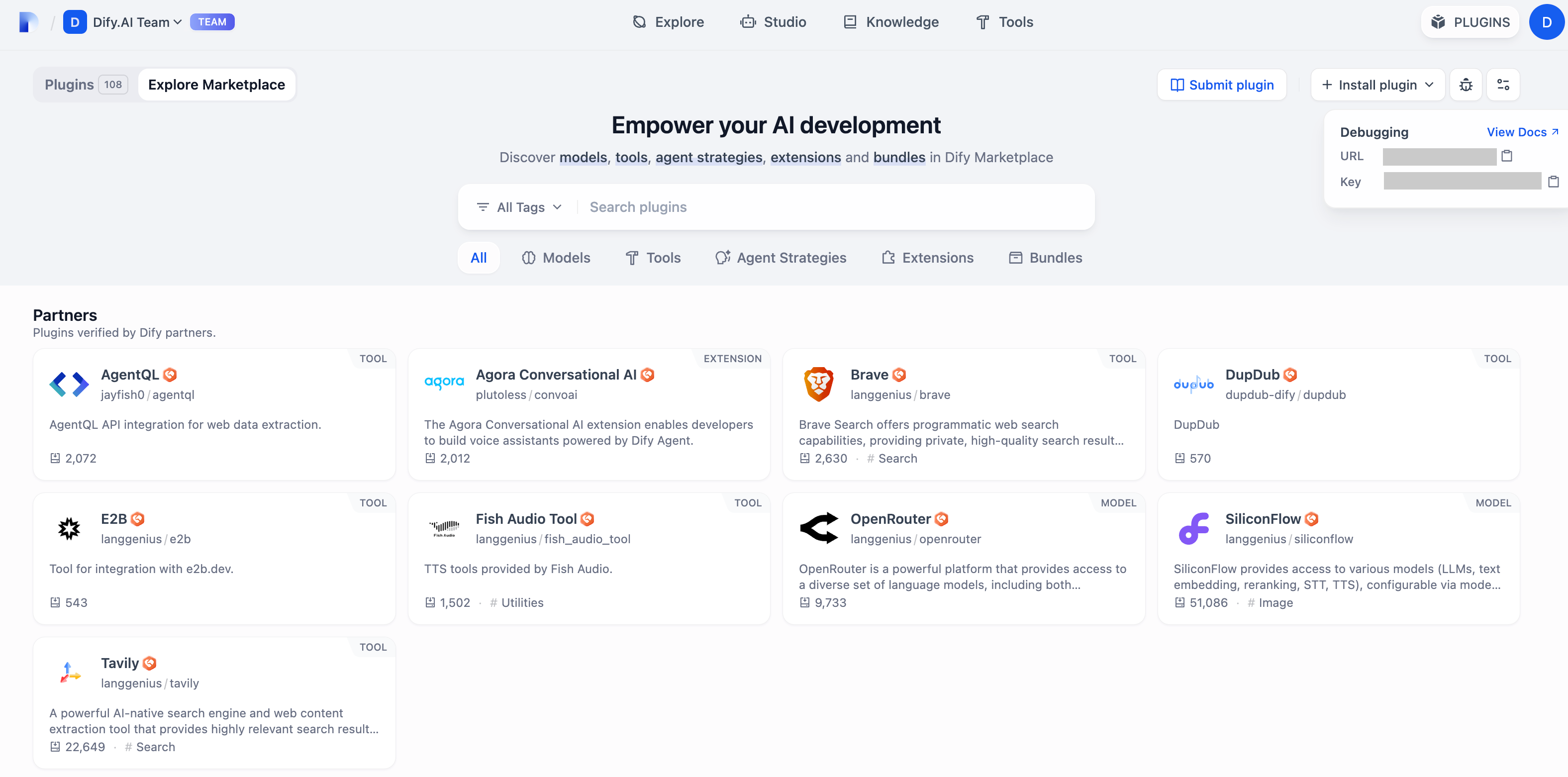
|
|
|
|
プラグインのプロジェクトに戻り、`.env.example`ファイルをコピーして`.env`にリネームします。そして、取得したリモートサーバーアドレスやデバッグキーなどの情報を入力してください。
|
|
|
|
`.env`ファイル
|
|
|
|
```bash
|
|
INSTALL_METHOD=remote
|
|
REMOTE_INSTALL_URL=debug.dify.ai:5003
|
|
REMOTE_INSTALL_KEY=********-****-****-****-************
|
|
```
|
|
|
|
`python -m main`コマンドを実行してプラグインを起動します。プラグインページで、Workspaceにインストールされたことを確認できます。他のチームメンバーもこのプラグインを利用可能です。
|
|
|
|
<img
|
|
src="https://assets-docs.dify.ai/2024/12/ec26e5afc57bbfeb807719638f603807.png"
|
|
className="mx-auto"
|
|
alt=""
|
|
/>
|
|
|
|
{/*
|
|
Contributing Section
|
|
DO NOT edit this section!
|
|
It will be automatically generated by the script.
|
|
*/}
|
|
|
|
---
|
|
|
|
[このページを編集する](https://github.com/langgenius/dify-docs/edit/main/ja-jp/plugins/quick-start/debug-plugin.mdx) | [問題を報告する](https://github.com/langgenius/dify-docs/issues/new?template=docs.yml)
|
|
|