mirror of
https://github.com/langgenius/dify-docs.git
synced 2026-03-27 13:28:32 +07:00

171 lines
6.8 KiB
Plaintext
171 lines
6.8 KiB
Plaintext
---
|
||
title: Generating analysis of Twitter account using Chatflow Agent
|
||
---
|
||
|
||
## Introduction
|
||
|
||
In Dify, you can use some crawler tools, such as Jina, which can convert web pages into markdown format that LLMs can read.
|
||
|
||
Recently, [wordware.ai](https://www.wordware.ai/) has brought to our attention that we can use crawlers to scrape social media for LLM analysis, creating more interesting applications.
|
||
|
||
However, knowing that X (formerly Twitter) stopped providing free API access on February 2, 2023, and has since upgraded its anti-crawling measures. Tools like Jina are unable to access X's content directly.
|
||
|
||
> Starting February 9, we will no longer support free access to the Twitter API, both v2 and v1.1. A paid basic tier will be available instead 🧵
|
||
>
|
||
> — Developers (@XDevelopers) [February 2, 2023](https://twitter.com/XDevelopers/status/1621026986784337922?ref\_src=twsrc%5Etfw)
|
||
|
||
Fortunately, Dify also has an HTTP tool, which allows us to call external crawling tools by sending HTTP requests. Let's get started!
|
||
|
||
## **Prerequisites**
|
||
|
||
### Register Crawlbase
|
||
|
||
Crawlbase is an all-in-one data crawling and scraping platform designed for businesses and developers.
|
||
|
||
Moreover, using Crawlbase Scraper allows you to scrape data from social platforms like X, Facebook and Instagram.
|
||
|
||
Click to register: [crawlbase.com](https://crawlbase.com)
|
||
|
||
### Deploy Dify locally
|
||
|
||
Dify is an open-source LLM app development platform. You can choose cloud service or deploy it locally using docker compose.
|
||
|
||
In this article, If you don’t want to deploy it locally, register a free Dify Cloud sandbox account here: [https://cloud.dify.ai/signin](https://cloud.dify.ai/signin).
|
||
|
||
<Info>
|
||
Dify Cloud Sandbox users get 200 free credits, equivalent to 200 GPT-3.5 messages or 20 GPT-4 messages.
|
||
</Info>
|
||
|
||
The following are brief tutorials on how to deploy Dify:
|
||
|
||
#### Clone Dify
|
||
|
||
```bash
|
||
git clone https://github.com/langgenius/dify.git
|
||
```
|
||
|
||
#### **Start Dify**
|
||
|
||
```bash
|
||
cd dify/docker
|
||
cp .env.example .env
|
||
docker compose up -d
|
||
```
|
||
|
||
### Configure LLM Providers
|
||
|
||
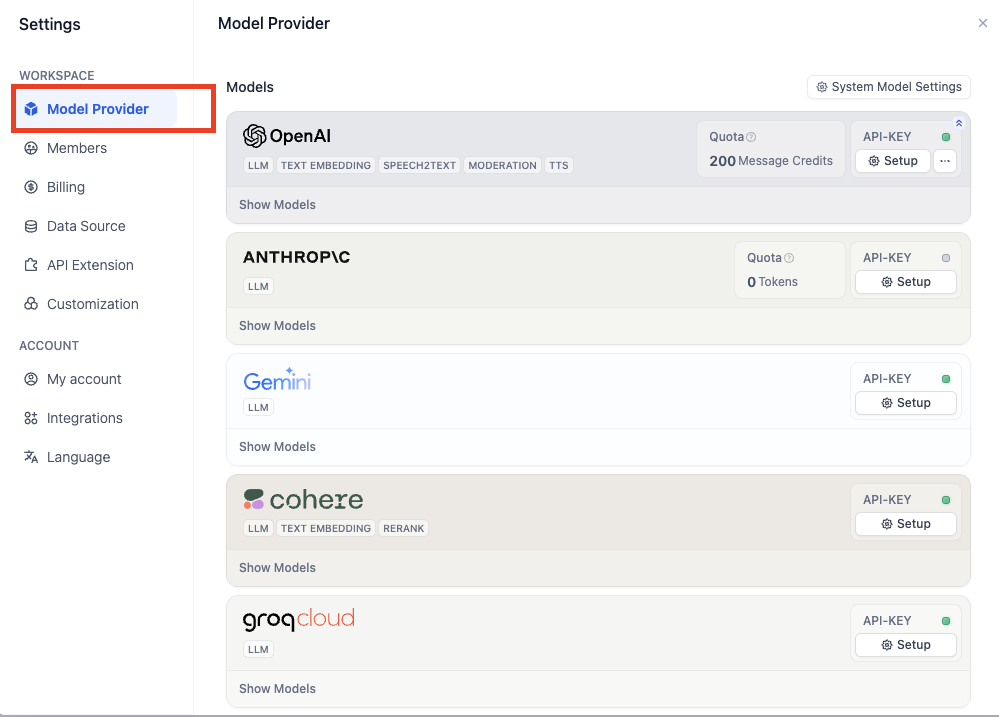
Configure Model Provider in account setting:
|
||
|
||
|
||
|
||
## Create a chatflow
|
||
|
||
Now, let's get started on the chatflow.
|
||
|
||
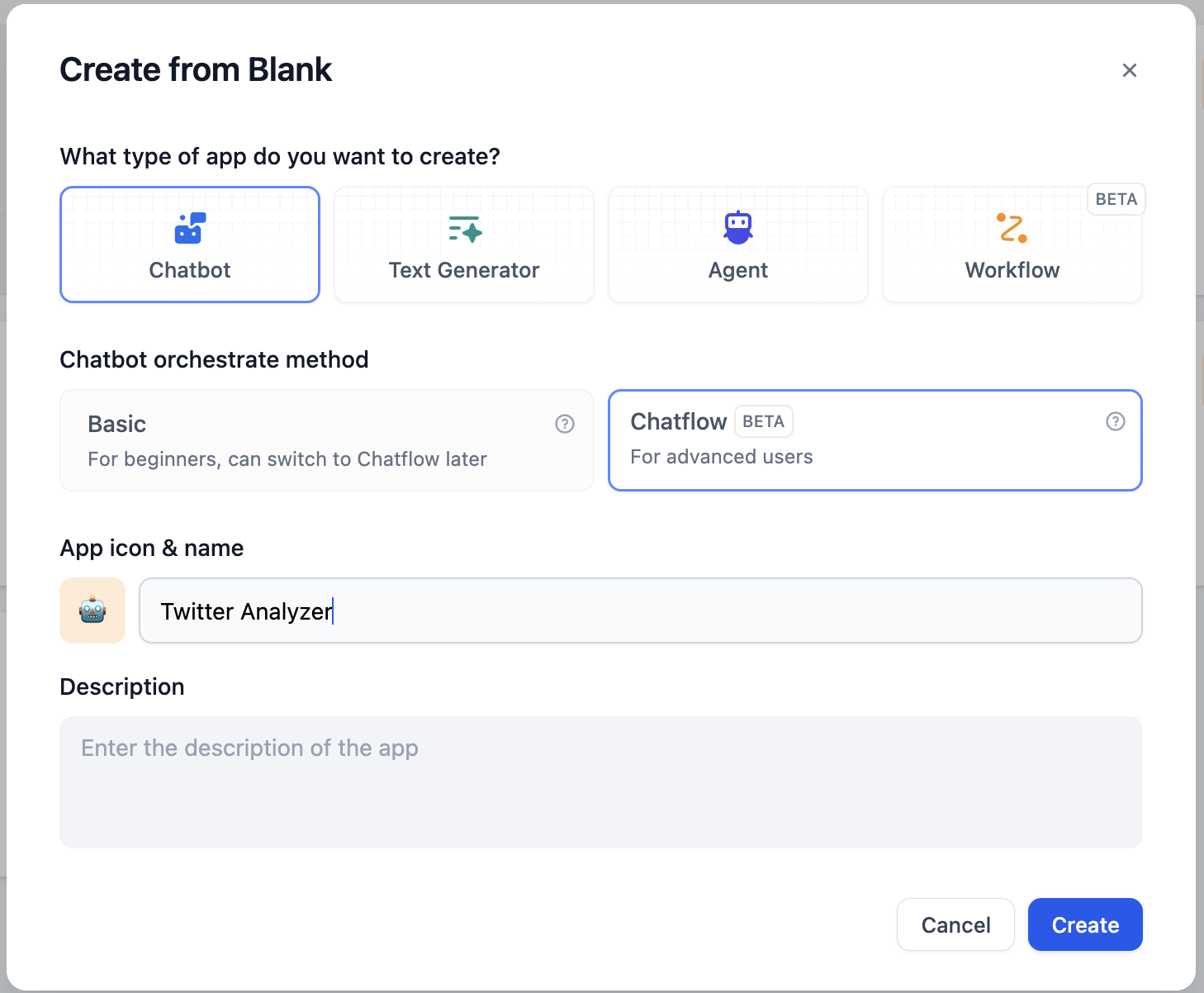
Click on `Create from Blank` to start:
|
||
|
||
|
||
|
||
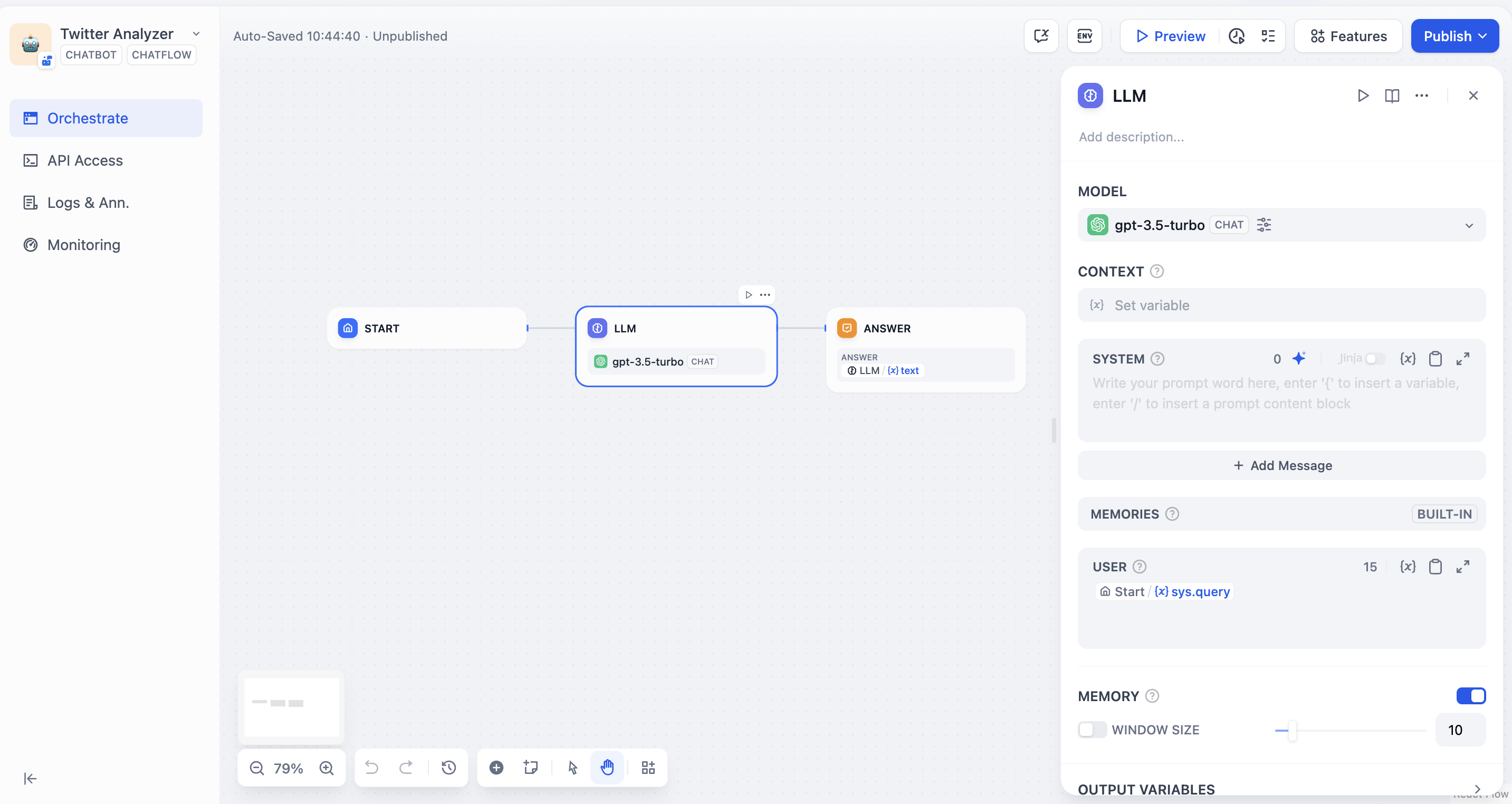
The initialized chatflow should be like:
|
||
|
||
|
||
|
||
## Add nodes to chatflow
|
||
|
||

|
||
|
||
### Start node
|
||
|
||
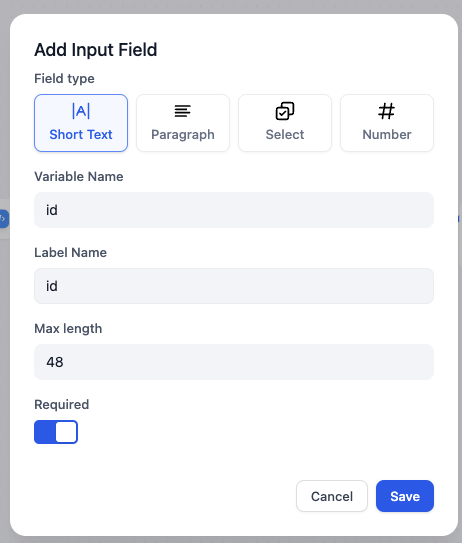
In start node, we can add some system variables at the beginning of a chat. In this article, we need a Twitter user’s ID as a string variable. Let’s name it `id` .
|
||
|
||
Click on Start node and add a new variable:
|
||
|
||
|
||
|
||
### Code node
|
||
|
||
According to [Crawlbase docs](https://crawlbase.com/docs/crawling-api/scrapers/#twitter-profile), the variable `url` (this will be used in the following node) should be `https://twitter.com/` + `user id` , such as `https://twitter.com/elonmusk` for Elon Musk.
|
||
|
||
To convert the user ID into a complete URL, we can use the following Python code to integrate the prefix `https://twitter.com/` with the user ID:
|
||
|
||
```python
|
||
def main(id: str) -> dict:
|
||
return {
|
||
"url": "https://twitter.com/"+id,
|
||
}
|
||
```
|
||
|
||
Add a code node and select python, and set input and output variable names:
|
||
|
||

|
||
|
||
### HTTP request node
|
||
|
||
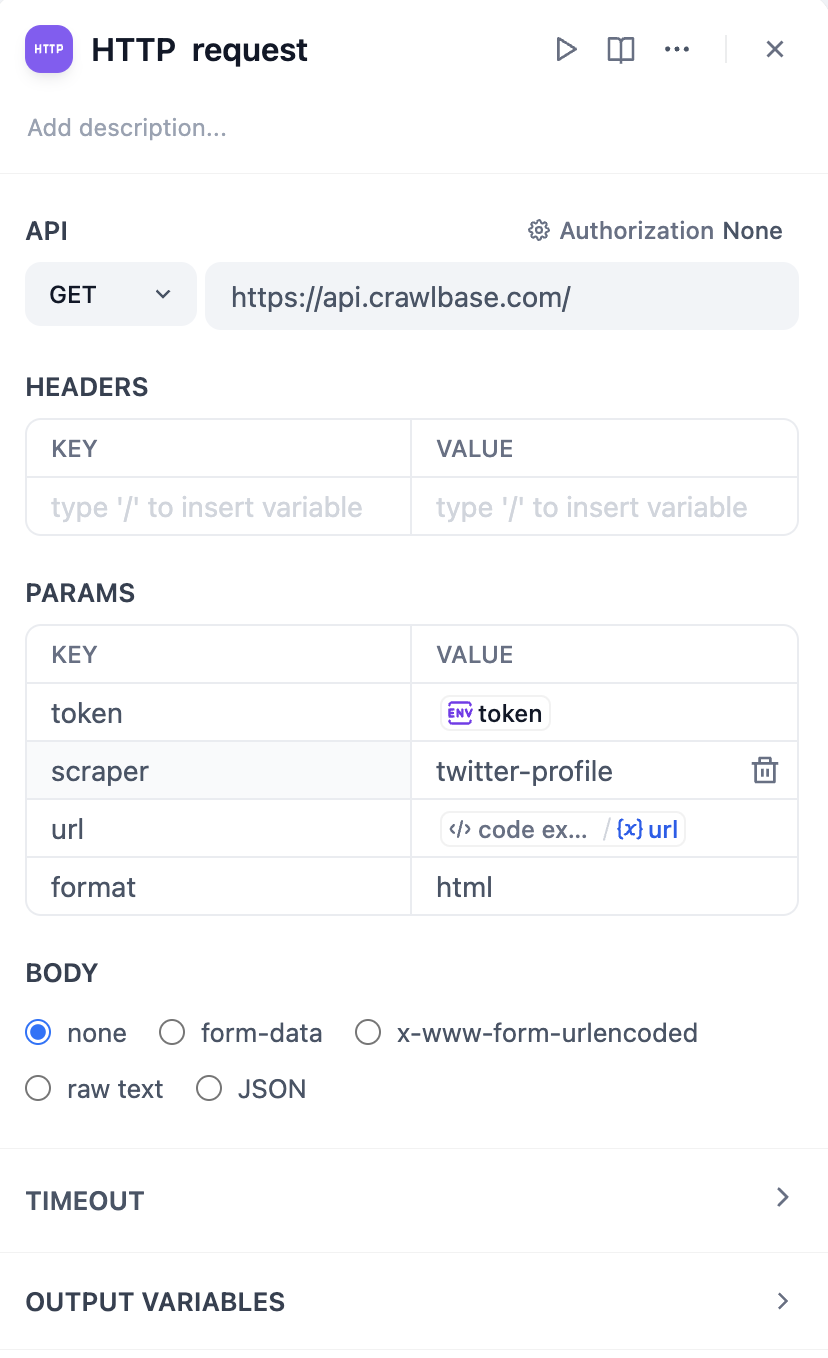
Based on the [Crawlbase docs](https://crawlbase.com/docs/crawling-api/scrapers/#twitter-profile), to scrape a Twitter user’s profile in http format, we need to complete HTTP request node in the following format:
|
||
|
||
|
||
|
||
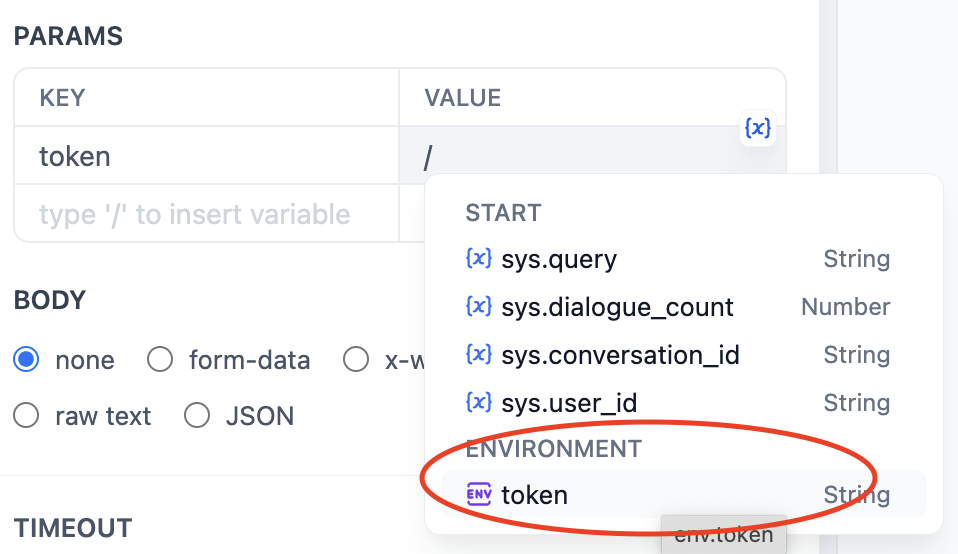
Importantly, it is best not to directly enter the token value as plain text for security reasons, as this is not a good practice. Actually, in the latest version of Dify, we can set token values in **`Environment Variables`**. Click `env` - `Add Variable` to set the token value, so plain text will not appear in the node.
|
||
|
||
Check [https://crawlbase.com/dashboard/account/docs](https://crawlbase.com/dashboard/account/docs) for your crawlbase API Key.
|
||
|
||

|
||
|
||
By typing `/` , you can easily insert the API Key as a variable.
|
||
|
||
|
||
|
||
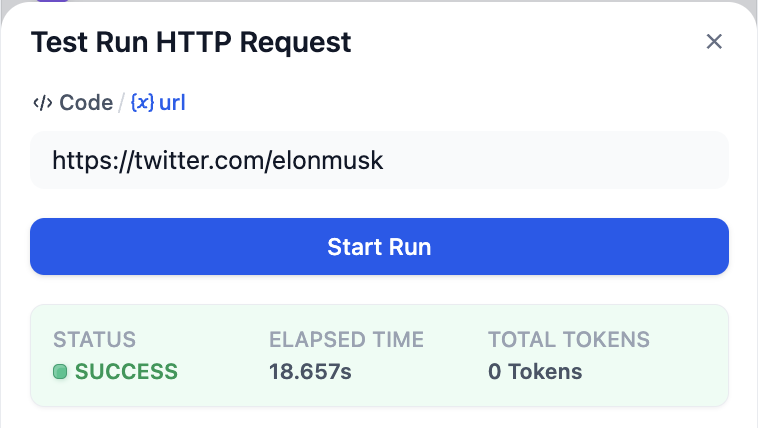
Tap the start button of this node to check whether it works correctly:
|
||
|
||
|
||
|
||
### LLM node
|
||
|
||
Now, we can use LLM to analyze the result scraped by crawlbase and execute our command.
|
||
|
||
The value `context` should be `body` from HTTP Request node.
|
||
|
||
The following is a sample system prompt.
|
||
|
||

|
||
|
||
## Test run
|
||
|
||
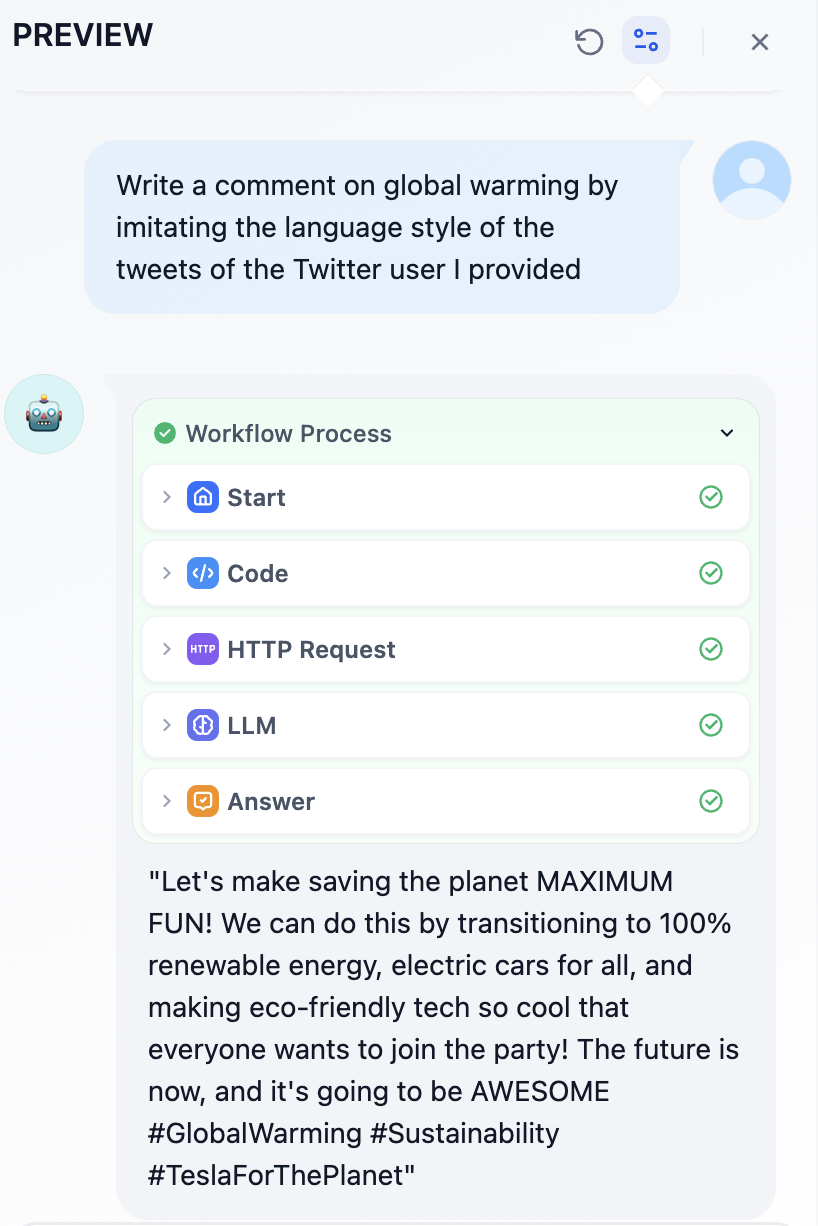
Click `Preview` to start a test run and input twitter user id in `id`
|
||
|
||

|
||
|
||
For example, I want to analyze Elon Musk's tweets and write a tweet about global warming in his tone.
|
||
|
||
|
||
|
||
Does this sound like Elon? lol
|
||
|
||
Click `Publish` in the upper right corner and add it in your website.
|
||
|
||
Have fun!
|
||
|
||
## Lastly…
|
||
|
||
### Other X(Twitter) Crawlers
|
||
|
||
In this article, I’ve introduced crawlbase. It should be the cheapest Twitter crawler service available, but sometimes it cannot correctly scrape the content of user tweets.
|
||
|
||
The Twitter crawler service used by [wordware.ai](http://wordware.ai) mentioned earlier is **Tweet Scraper V2**, but the subscription for the hosted platform **apify** is $49 per month.
|
||
|
||
## Links
|
||
|
||
* [X@dify\_ai](https://x.com/dify\_ai)
|
||
* Dify’s repo on GitHub:[https://github.com/langgenius/dify](https://github.com/langgenius/dify)
|
||
|
||
{/*
|
||
Contributing Section
|
||
DO NOT edit this section!
|
||
It will be automatically generated by the script.
|
||
*/}
|
||
|
||
---
|
||
|
||
[Edit this page](https://github.com/langgenius/dify-docs/edit/main/en/workshop/intermediate/twitter-chatflow.mdx) | [Report an issue](https://github.com/langgenius/dify-docs/issues/new?template=docs.yml)
|
||
|