mirror of
https://github.com/langgenius/dify-docs.git
synced 2026-03-27 13:28:32 +07:00

95 lines
4.0 KiB
Plaintext
95 lines
4.0 KiB
Plaintext
---
|
|
title: Install and Use Plugins
|
|
description: 'Author: Allen'
|
|
---
|
|
|
|
## Installing Plugins
|
|
|
|
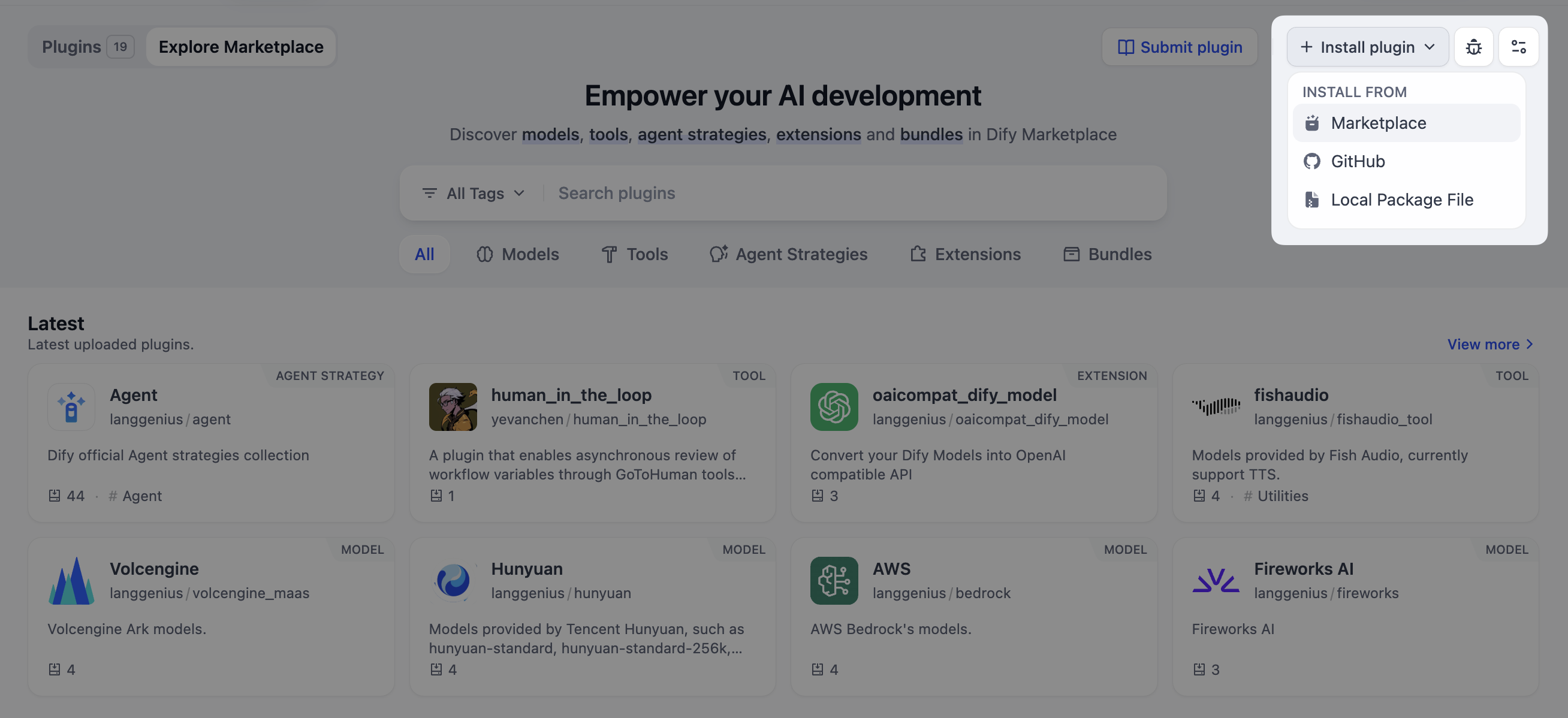
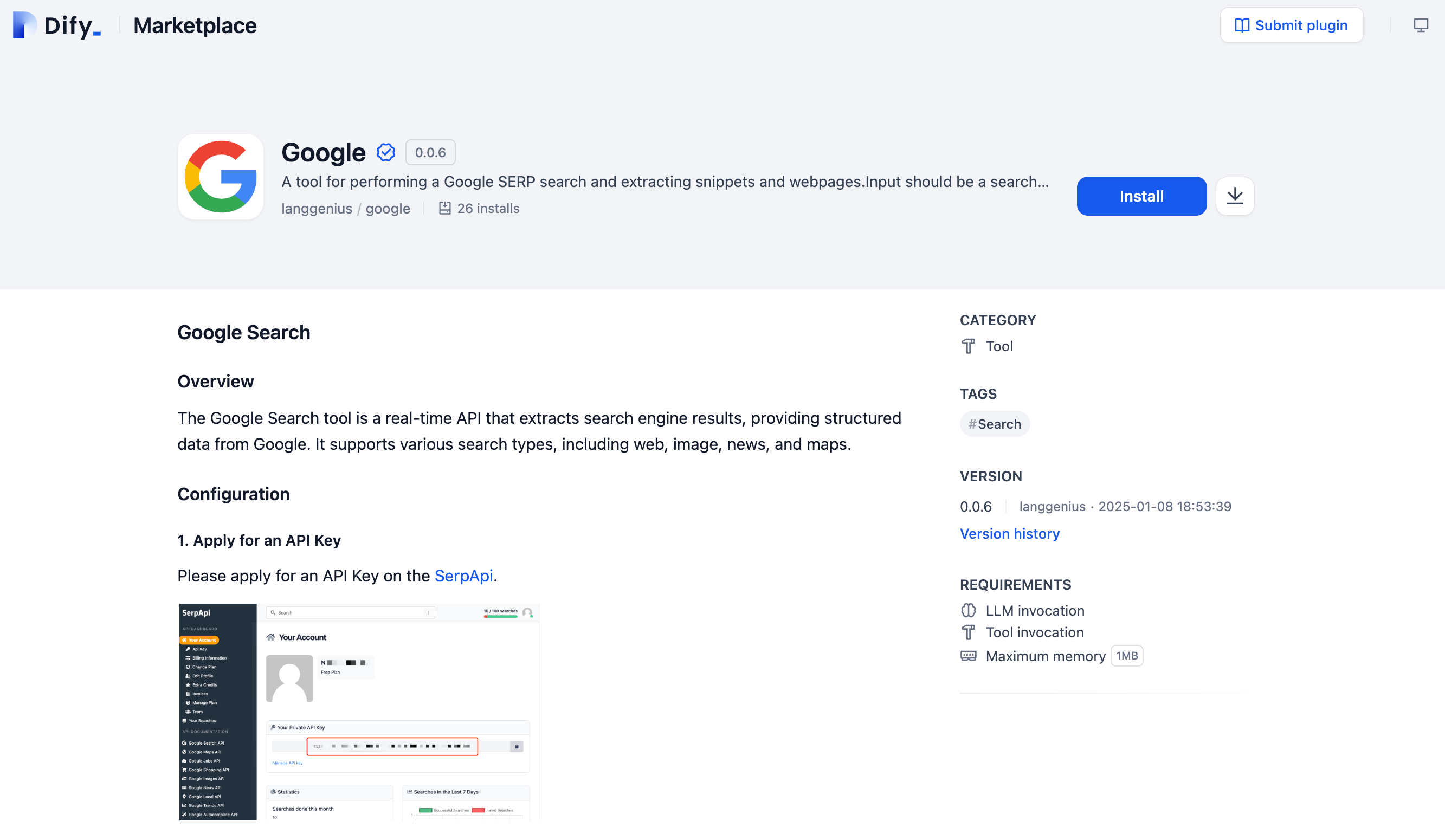
To install plugins, click **"Plugins"** in the top-right corner of the Dify platform to access the plugin management page. You can install plugins via **Marketplace, GitHub, or Manual Upload**.
|
|
|
|
|
|
|
|
### Marketplace
|
|
|
|
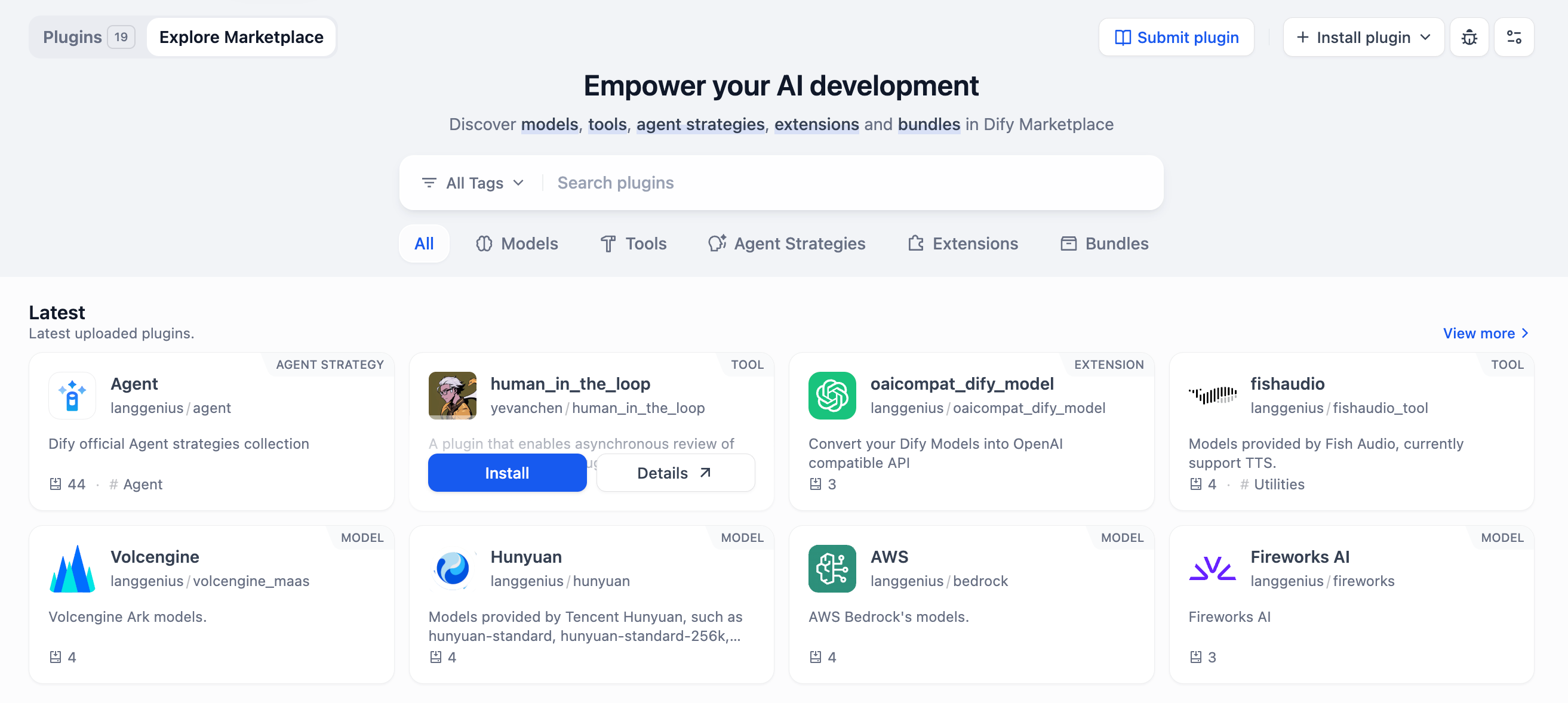
Browse and select a plugin from the Marketplace. Click **"Install"** to add it to your current workspace effortlessly.
|
|
|
|
|
|
|
|
### GitHub
|
|
|
|
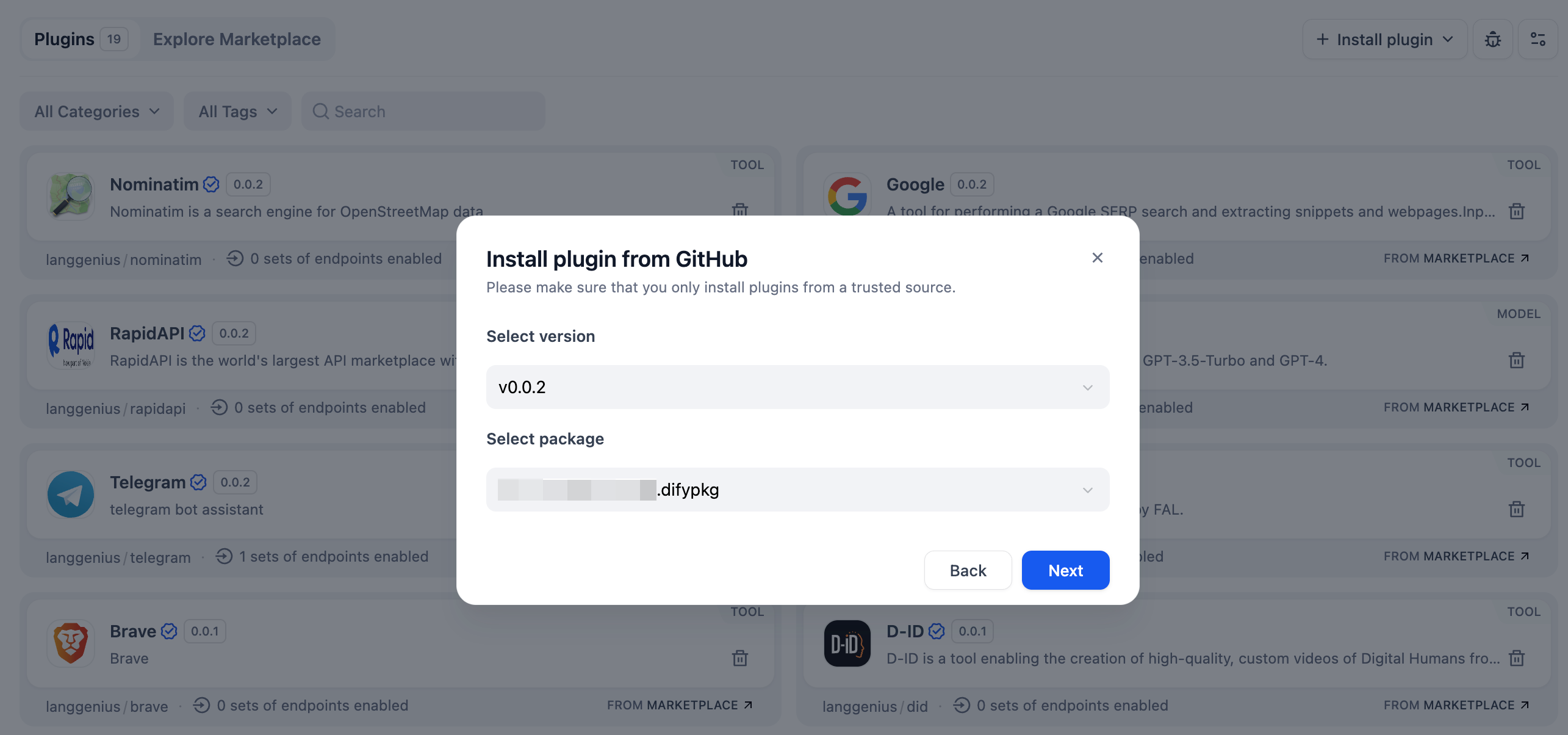
Install plugins directly using GitHub repository links. This method requires plugins to meet code standards and include a `.difypkg` file attached to a Release. For more details, see [Publishing Plugins on GitHub](/en/plugins/publish-plugins/publish-plugin-on-personal-github-repo).
|
|
|
|
|
|
|
|
### Local File Upload
|
|
|
|
Local files refer to file packages with the `.difypkg` extension, commonly used in offline environments or testing environments. Developers can use this method to install plugin files outside the official marketplace. For organizations, this allows developing and maintaining internal plugins and installing them through local upload to avoid exposing sensitive information.
|
|
|
|
For detailed instructions on packaging plugins and obtaining `.difypkg` files, please refer to: [Package Plugins](../publish-plugins/package-plugin-file-and-publish)
|
|
|
|
***
|
|
|
|
## Using Plugins
|
|
|
|
Once installed, plugins can be integrated into your Dify applications. Below are examples of how to use different types of plugins.
|
|
|
|
### Model Plugins
|
|
|
|
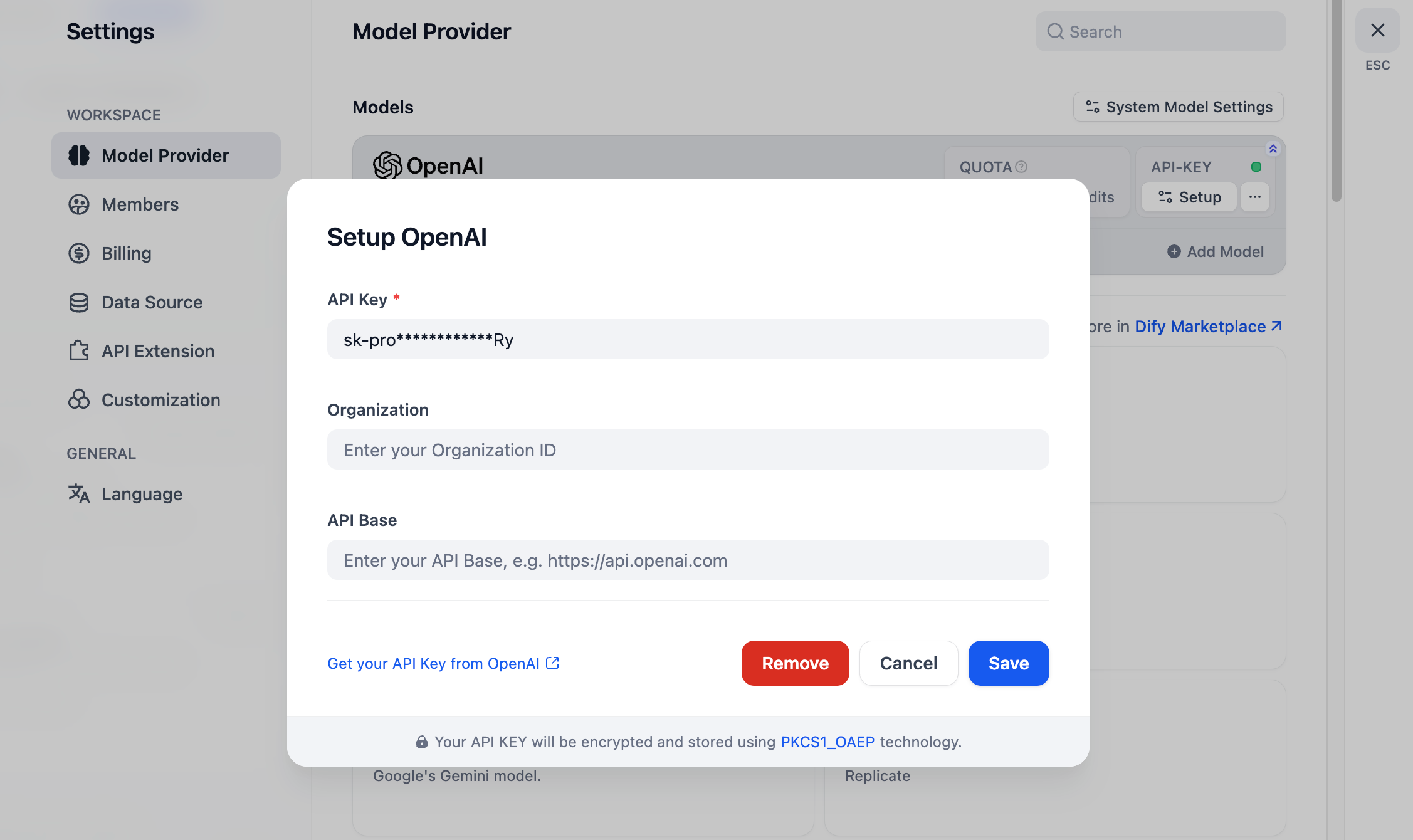
For example, after installing the `OpenAI` model plugin, click **Profile → Settings → Model Providers** in the top-right corner to configure your API Key and activate the provider.
|
|
|
|
|
|
|
|
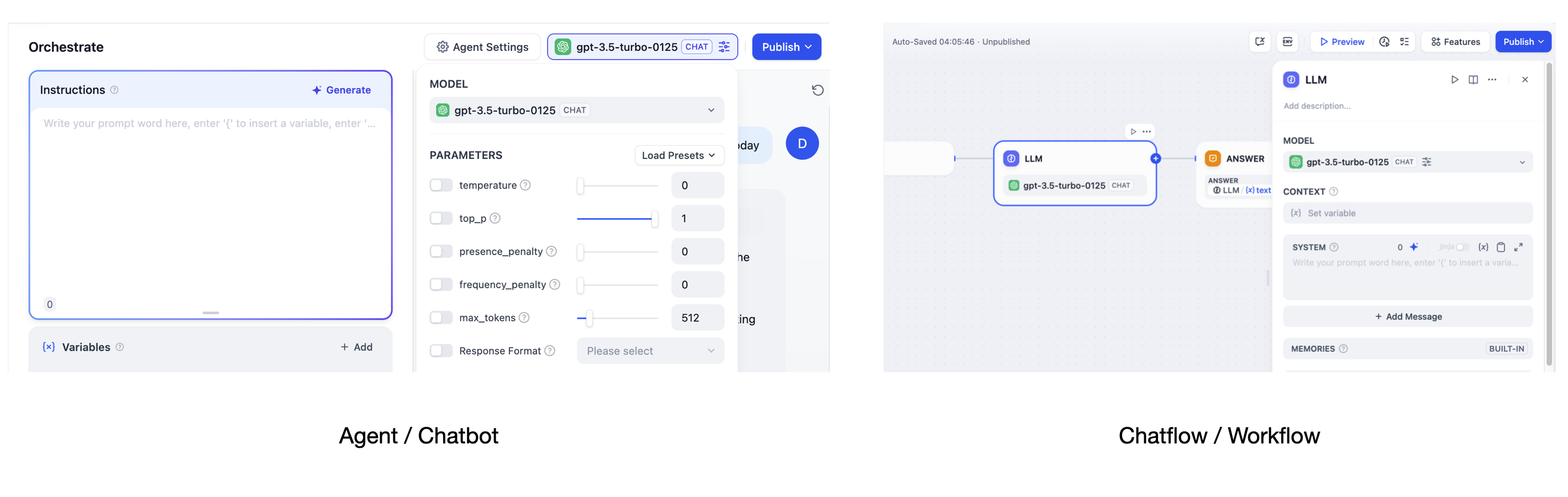
Once authorized, the model can be used in all application types.
|
|
|
|
|
|
|
|
### Tool Plugins
|
|
|
|
Tool plugins can be used in **Chatflow**, **Workflow**, and **Agent** applications. Below is an example using the `Google` tool plugin.
|
|
|
|
> Some tool plugins require API Key authorization before use. Configure these after installation for future convenience.
|
|
|
|
#### Agent
|
|
|
|
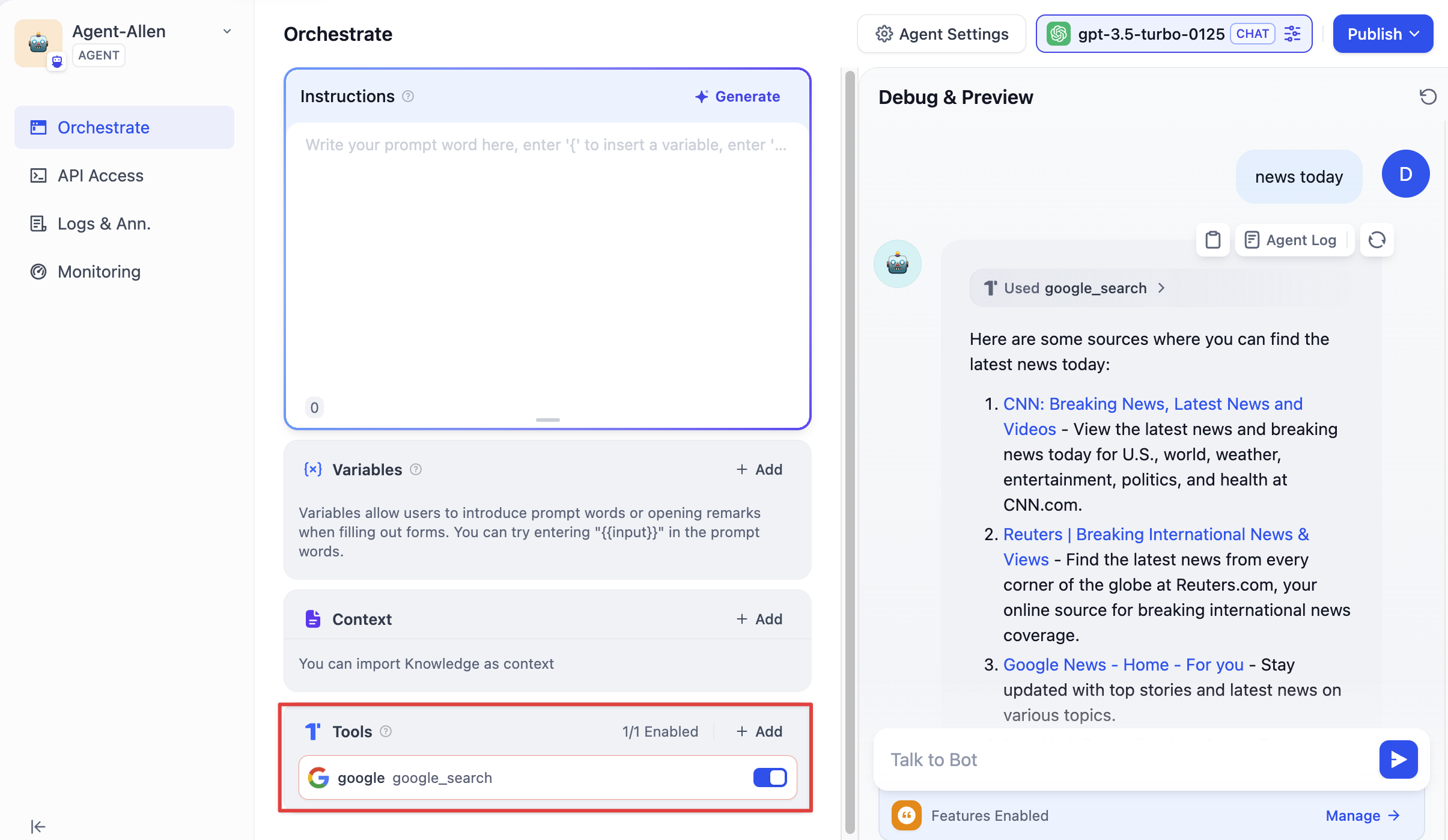
In an Agent application, locate the **"Tools"** section at the bottom of the application orchestration page. Select your installed tool plugins.
|
|
|
|
When using the application, input instructions to utilize the tools. For example, entering "today's news" will invoke the Google plugin to retrieve online content.
|
|
|
|
|
|
|
|
#### Chatflow / Workflow
|
|
|
|
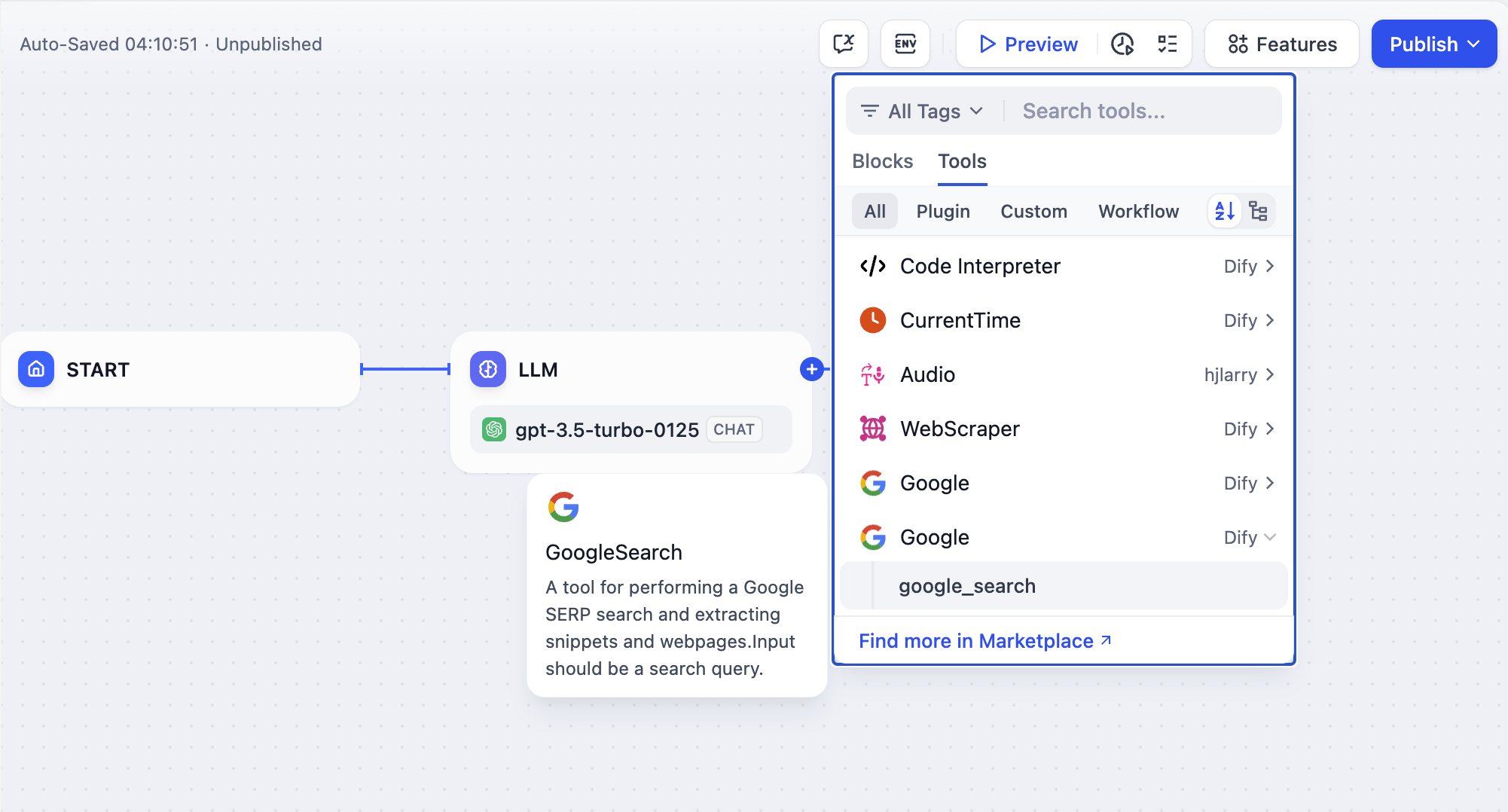
Chatflow and Workflow applications share the same orchestration canvas, so tool usage is identical.
|
|
|
|
Click the **"+"** button at the end of a node, select the installed Google plugin, and connect it to the upstream nodes.
|
|
|
|
|
|
|
|
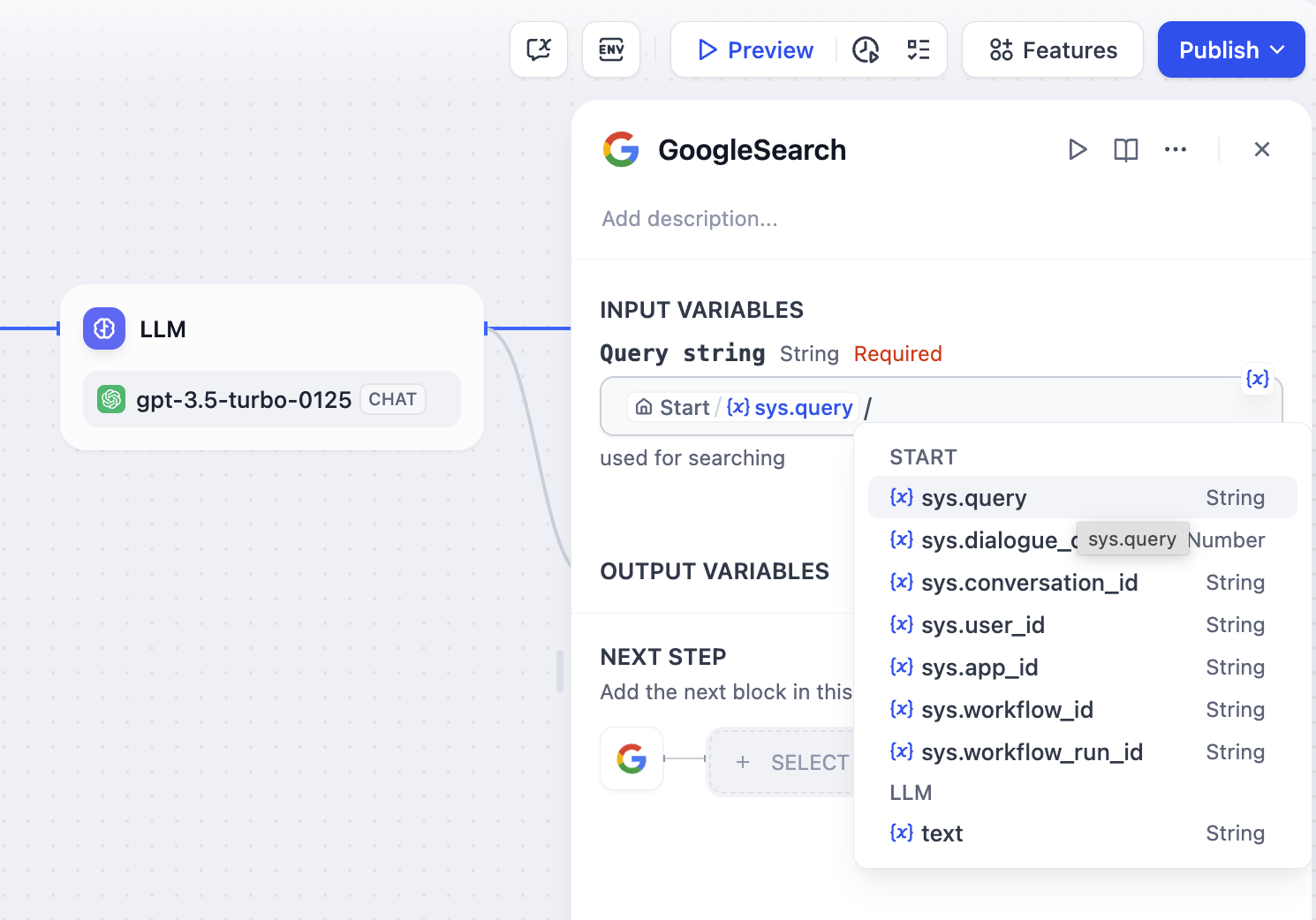
In the plugin's input variables, enter the user query or other required information for online retrieval.
|
|
|
|
|
|
|
|
For usage methods of other plugin types, refer to their respective plugin detail pages.
|
|
|
|
|
|
|
|
***
|
|
|
|
## Read More
|
|
|
|
To learn how to get started with plugin development, refer to the following guide:
|
|
|
|
<Card title="Develop Plugins" icon="link" href="/en/plugins/quick-start/develop-plugins">
|
|
</Card>
|
|
|
|
{/*
|
|
Contributing Section
|
|
DO NOT edit this section!
|
|
It will be automatically generated by the script.
|
|
*/}
|
|
|
|
---
|
|
|
|
[Edit this page](https://github.com/langgenius/dify-docs/edit/main/en/plugins/quick-start/install-plugins.mdx) | [Report an issue](https://github.com/langgenius/dify-docs/issues/new?template=docs.yml)
|
|
|