mirror of
https://github.com/langgenius/dify-docs.git
synced 2026-03-27 13:28:32 +07:00

37 lines
1.3 KiB
Plaintext
37 lines
1.3 KiB
Plaintext
---
|
|
title: Multiple Model Debugging
|
|
---
|
|
|
|
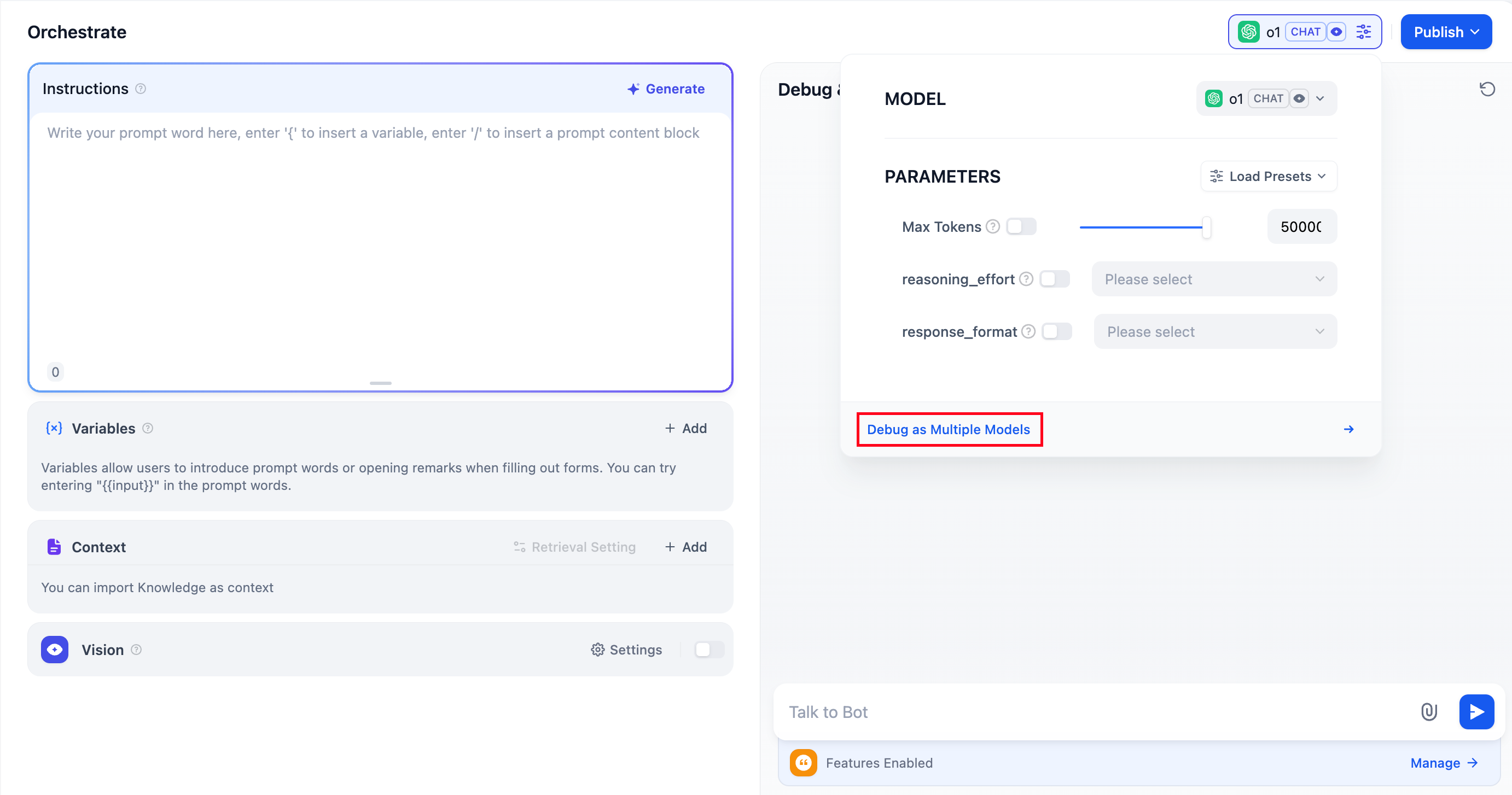
The **Chatbot** application supports the **“Debug as Multiple Models”** feature, allowing you to simultaneously compare how different models respond to the same question.
|
|
|
|
|
|
|
|
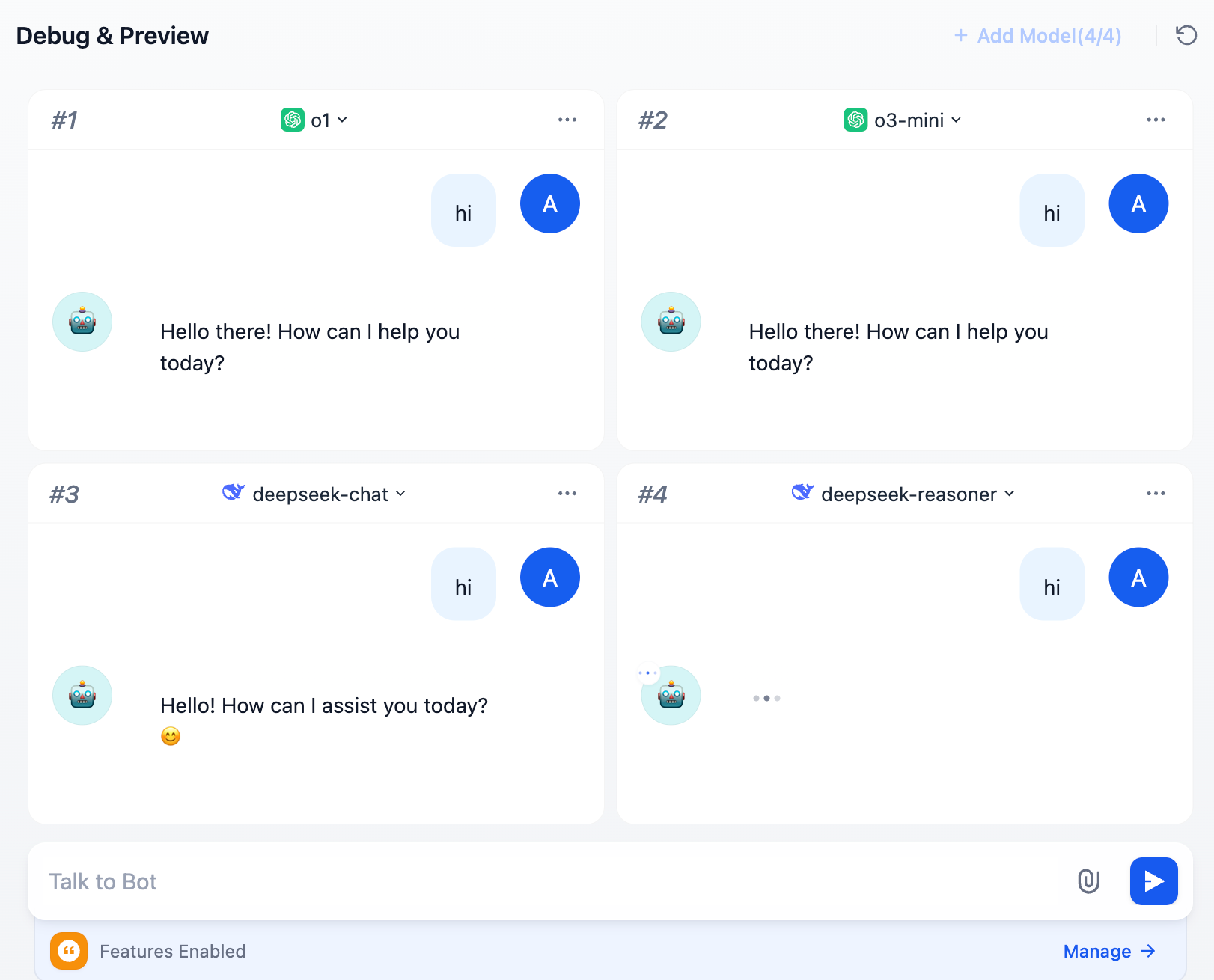
You can add up to **4** large language models at once.
|
|
|
|
|
|
|
|
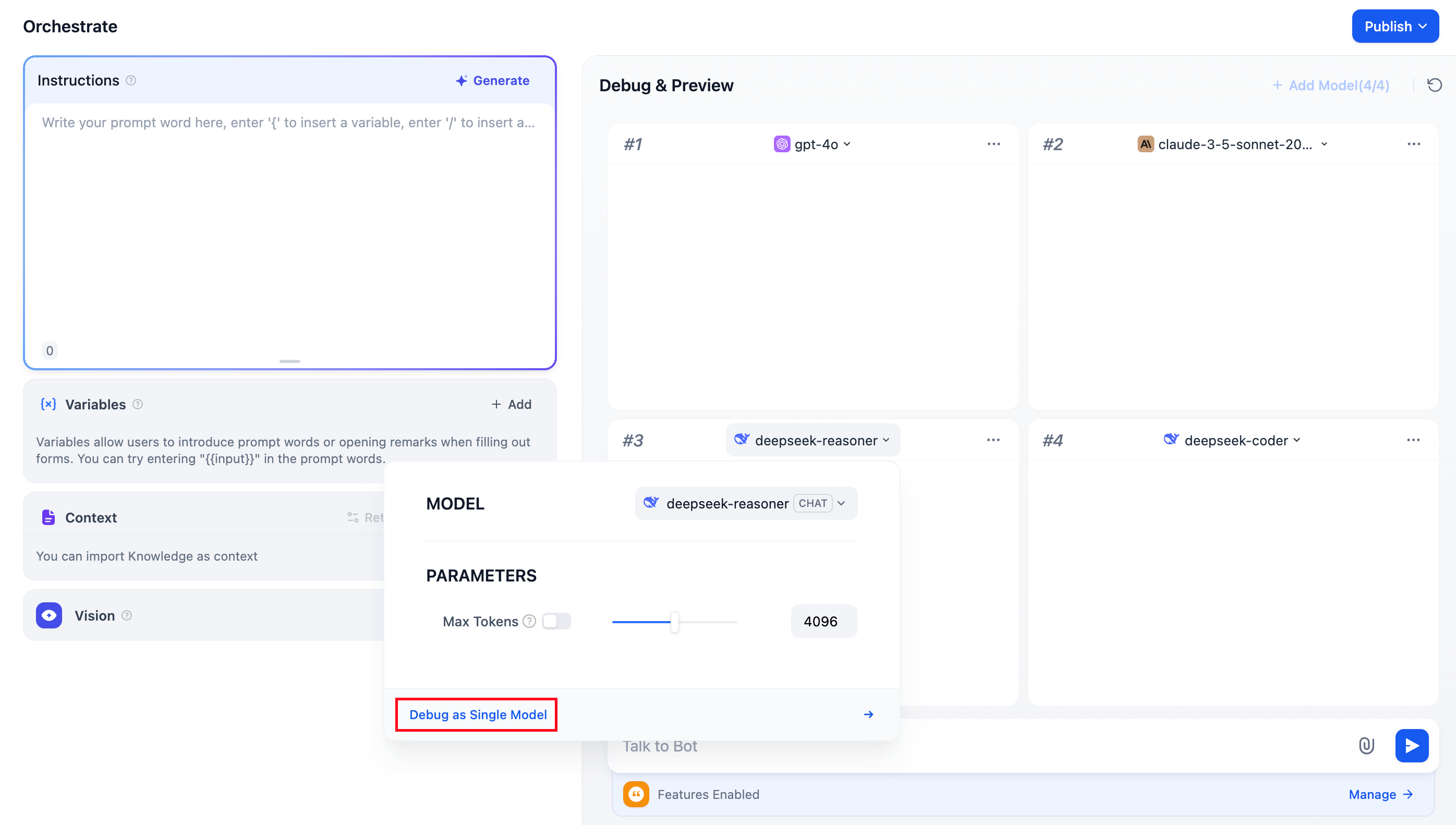
During debugging, if you find a model that performs well, click **“Debug as Single Model”** to switch to a dedicated preview window for the model.
|
|
|
|
|
|
|
|
## FAQ
|
|
|
|
### 1. Why aren't additional models visible when adding LLMs?
|
|
|
|
Go to [“Model Providers”](/guides/model-configuration), and follow the instructions to add the keys for multiple models manually.
|
|
|
|
### 2. How to exit Multiple Model Debugging mode?
|
|
|
|
Select any model and click **“Debug with a Single Model”** to exit multiple model debugging mode.
|
|
|
|
{/*
|
|
Contributing Section
|
|
DO NOT edit this section!
|
|
It will be automatically generated by the script.
|
|
*/}
|
|
|
|
---
|
|
|
|
[Edit this page](https://github.com/langgenius/dify-docs/edit/main/en/guides/application-orchestrate/multiple-llms-debugging.mdx) | [Report an issue](https://github.com/langgenius/dify-docs/issues/new?template=docs.yml)
|
|
|