mirror of
https://github.com/langgenius/dify-docs.git
synced 2026-03-27 13:28:32 +07:00

95 lines
2.9 KiB
Plaintext
95 lines
2.9 KiB
Plaintext
---
|
|
title: Integrate Models on LiteLLM Proxy
|
|
---
|
|
|
|
|
|
[LiteLLM Proxy](https://github.com/BerriAI/litellm) is a proxy server that allows:
|
|
|
|
* Calling 100+ LLMs (OpenAI, Azure, Vertex, Bedrock) in the OpenAI format
|
|
* Using Virtual Keys to set Budgets, Rate limits and track usage
|
|
|
|
Dify supports integrating LLM and Text Embedding capabilities models available on LiteLLM Proxy
|
|
|
|
## Quick Integration
|
|
|
|
### Step 1. Start LiteLLM Proxy Server
|
|
|
|
LiteLLM Requires a config with all your models defined - we will call this file `litellm_config.yaml`
|
|
|
|
[Detailed docs on how to setup litellm config - here](https://docs.litellm.ai/docs/proxy/configs)
|
|
|
|
```yaml
|
|
model_list:
|
|
- model_name: gpt-4
|
|
litellm_params:
|
|
model: azure/chatgpt-v-2
|
|
api_base: https://openai-gpt-4-test-v-1.openai.azure.com/
|
|
api_version: "2023-05-15"
|
|
api_key:
|
|
- model_name: gpt-4
|
|
litellm_params:
|
|
model: azure/gpt-4
|
|
api_key:
|
|
api_base: https://openai-gpt-4-test-v-2.openai.azure.com/
|
|
- model_name: gpt-4
|
|
litellm_params:
|
|
model: azure/gpt-4
|
|
api_key:
|
|
api_base: https://openai-gpt-4-test-v-2.openai.azure.com/
|
|
```
|
|
|
|
### Step 2. Start LiteLLM Proxy
|
|
|
|
```shell
|
|
docker run \
|
|
-v $(pwd)/litellm_config.yaml:/app/config.yaml \
|
|
-p 4000:4000 \
|
|
ghcr.io/berriai/litellm:main-latest \
|
|
--config /app/config.yaml --detailed_debug
|
|
```
|
|
|
|
On success, the proxy will start running on `http://localhost:4000`
|
|
|
|
### Step 3. Integrate LiteLLM Proxy in Dify
|
|
|
|
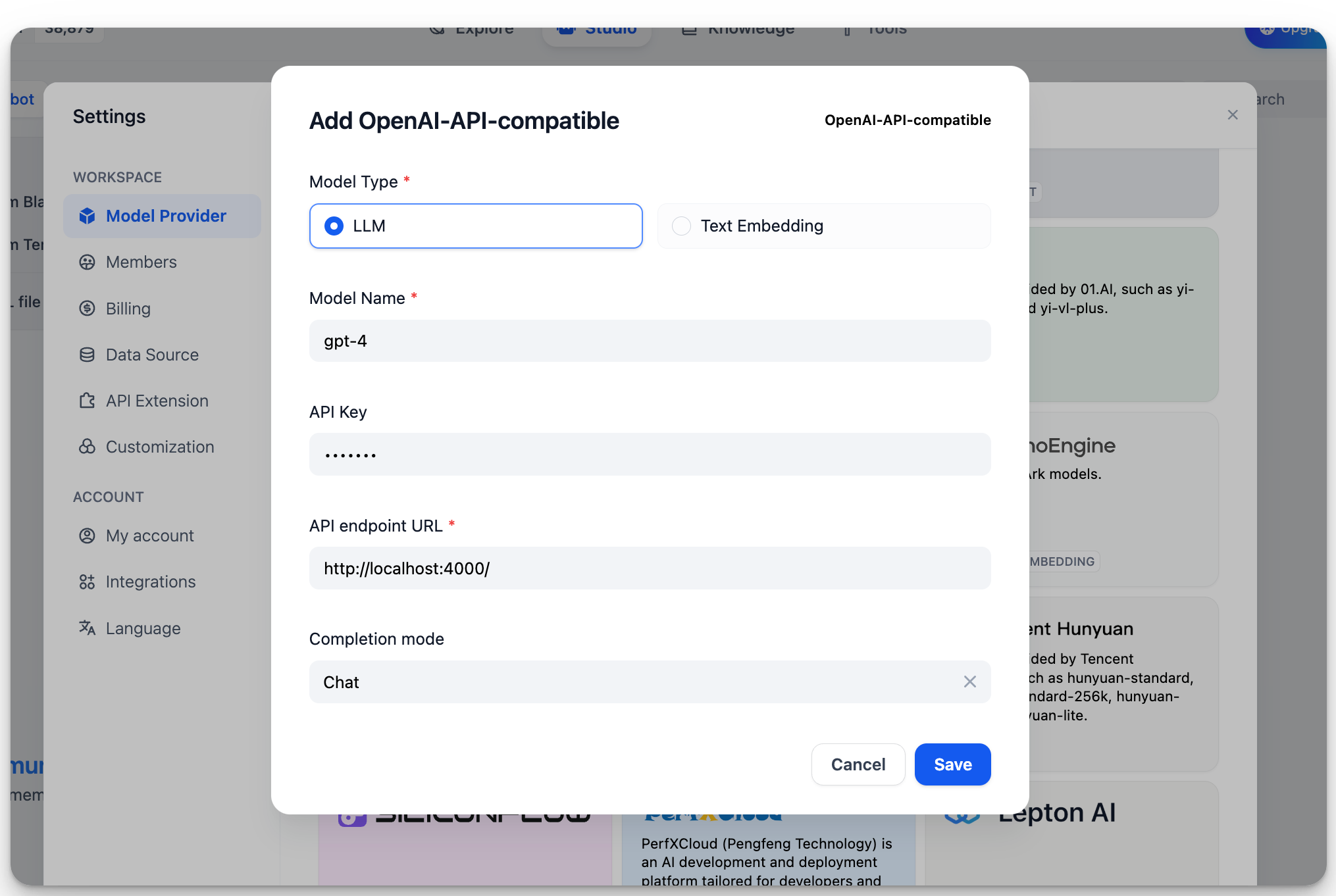
In `Settings > Model Providers > OpenAI-API-compatible`, fill in:
|
|
|
|
|
|
|
|
* Model Name: `gpt-4`
|
|
* Base URL: `http://localhost:4000`
|
|
|
|
Enter the base URL where the LiteLLM service is accessible.
|
|
* Model Type: `Chat`
|
|
* Model Context Length: `4096`
|
|
|
|
The maximum context length of the model. If unsure, use the default value of 4096.
|
|
* Maximum Token Limit: `4096`
|
|
|
|
The maximum number of tokens returned by the model. If there are no specific requirements for the model, this can be consistent with the model context length.
|
|
* Support for Vision: `Yes`
|
|
|
|
Check this option if the model supports image understanding (multimodal), like `gpt4-o`.
|
|
|
|
Click "Save" to use the model in the application after verifying that there are no errors.
|
|
|
|
The integration method for Embedding models is similar to LLM, just change the model type to Text Embedding.
|
|
|
|
## More Information
|
|
|
|
For more information on LiteLLM, please refer to:
|
|
|
|
* [LiteLLM](https://github.com/BerriAI/litellm)
|
|
* [LiteLLM Proxy Server](https://docs.litellm.ai/docs/simple\_proxy)
|
|
|
|
{/*
|
|
Contributing Section
|
|
DO NOT edit this section!
|
|
It will be automatically generated by the script.
|
|
*/}
|
|
|
|
---
|
|
|
|
[Edit this page](https://github.com/langgenius/dify-docs/edit/main/en/development/models-integration/litellm.mdx) | [Report an issue](https://github.com/langgenius/dify-docs/issues/new?template=docs.yml)
|
|
|