mirror of
https://github.com/langgenius/dify-docs.git
synced 2026-04-02 14:28:35 +07:00
 6ecbc4153f
Auto-generated translations for documentation changes in PR #654.

Last-Processed-Commit: 63f964a0074f467f781dfb80ac00dba830626a68
Original-PR: #654
Languages: Chinese (zh), Japanese (ja)

🤖 Generated with GitHub Actions

Co-authored-by: github-actions[bot] <github-actions[bot]@users.noreply.github.com>
34 lines
1.5 KiB
Plaintext
34 lines
1.5 KiB
Plaintext
---
|
||
title: "变量检查器"
|
||
icon: "arrow-progress"
|
||
---
|
||
|
||
<Note> ⚠️ 本文档由 AI 自动翻译。如有任何不准确之处,请参考[英文原版](/en/use-dify/debug/variable-inspect)。</Note>
|
||
|
||
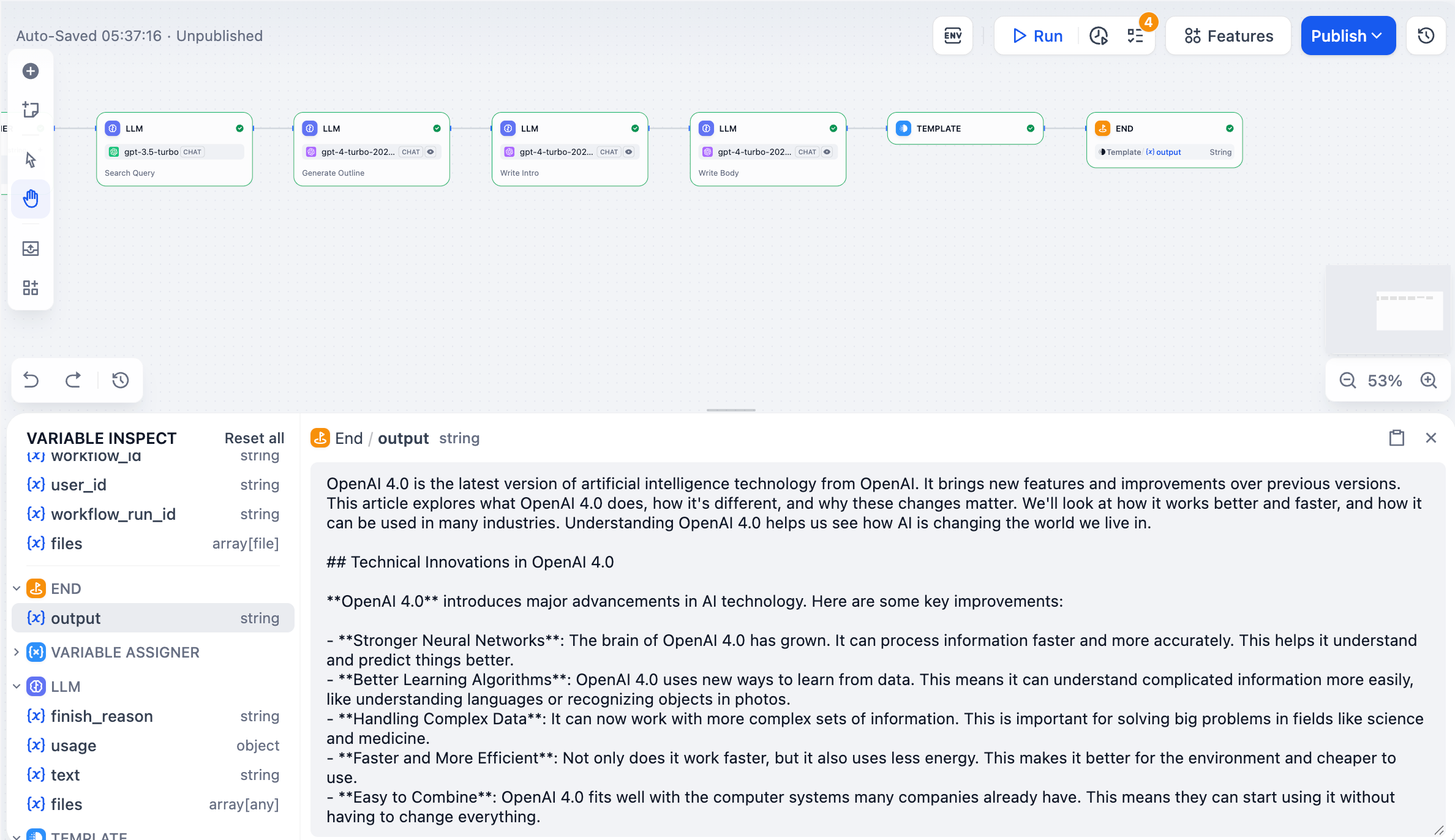
变量检查器显示所有流经你工作流的数据。它会在每个节点运行后捕获输入和输出,因此你可以查看正在发生的情况并测试不同的场景。
|
||
|
||
|
||
|
||
## 查看变量
|
||
|
||
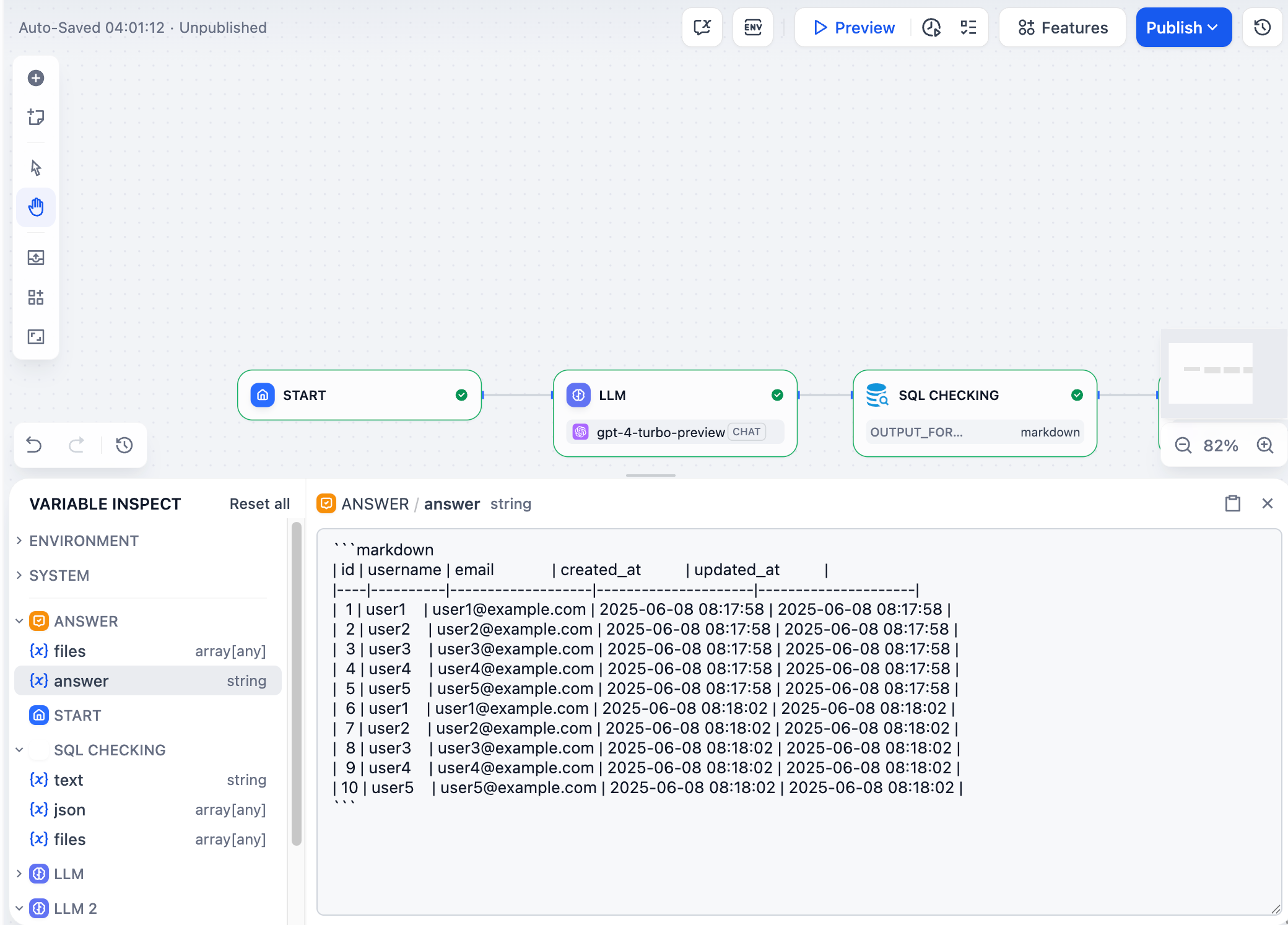
任何节点运行后,其输出变量会出现在屏幕底部的检查器面板中。点击任何变量可查看其完整内容。
|
||
|
||
|
||
|
||
## 编辑变量
|
||
|
||
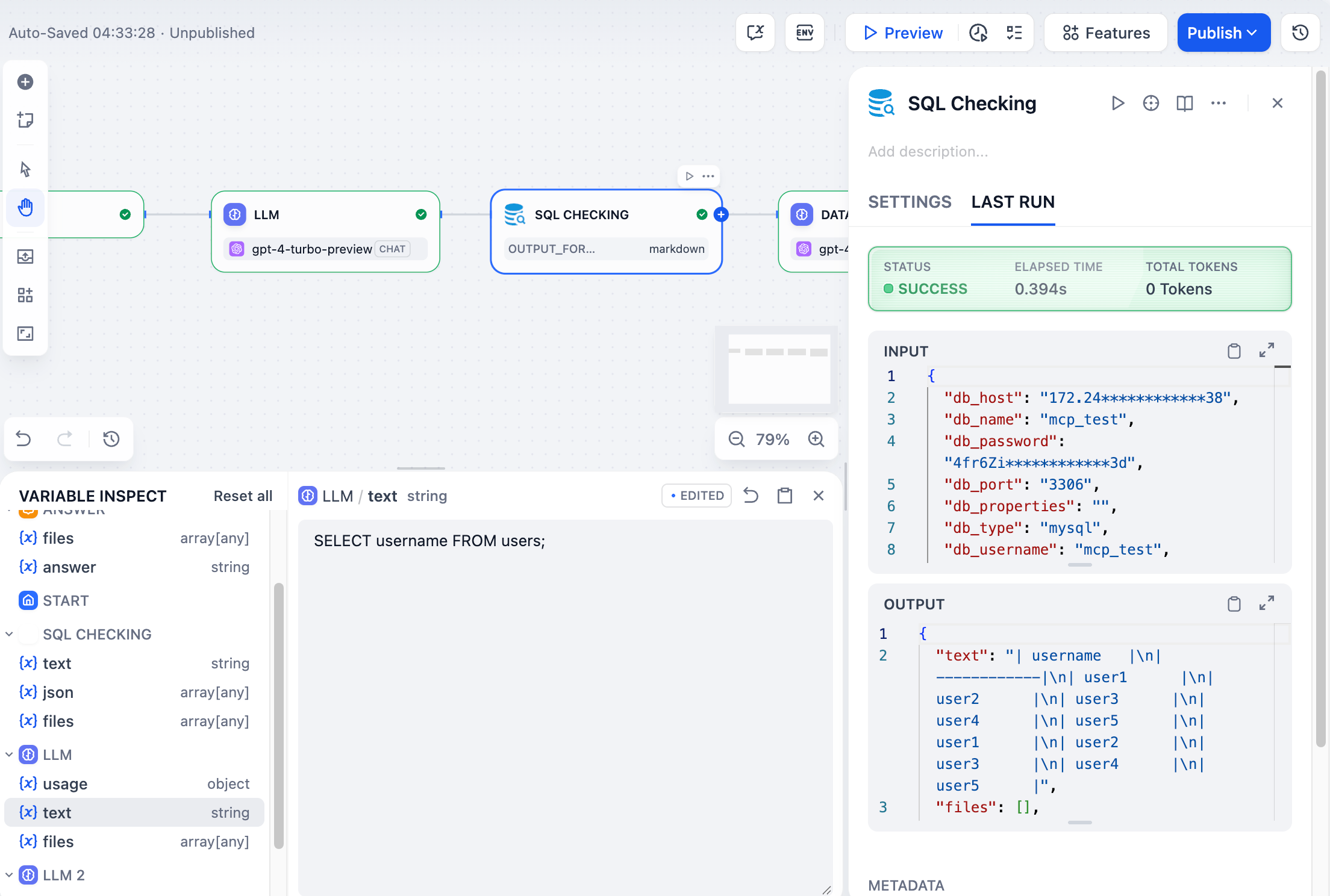
你可以通过点击大多数变量值来编辑它们。当你运行下游节点时,它们将使用你编辑的值而不是原始值。这让你可以测试不同场景,而无需重新运行整个工作流。
|
||
|
||
<Info>
|
||
在此处编辑变量不会更改最初创建它们的节点的"最后运行"记录。
|
||
</Info>
|
||
|
||
例如,如果大型语言模型节点生成了像 `SELECT * FROM users` 这样的 SQL,你可以在检查器中将其编辑为 `SELECT username FROM users`,然后只重新运行数据库节点以查看不同的结果。
|
||
|
||
|
||
|
||
## 重置变量
|
||
|
||
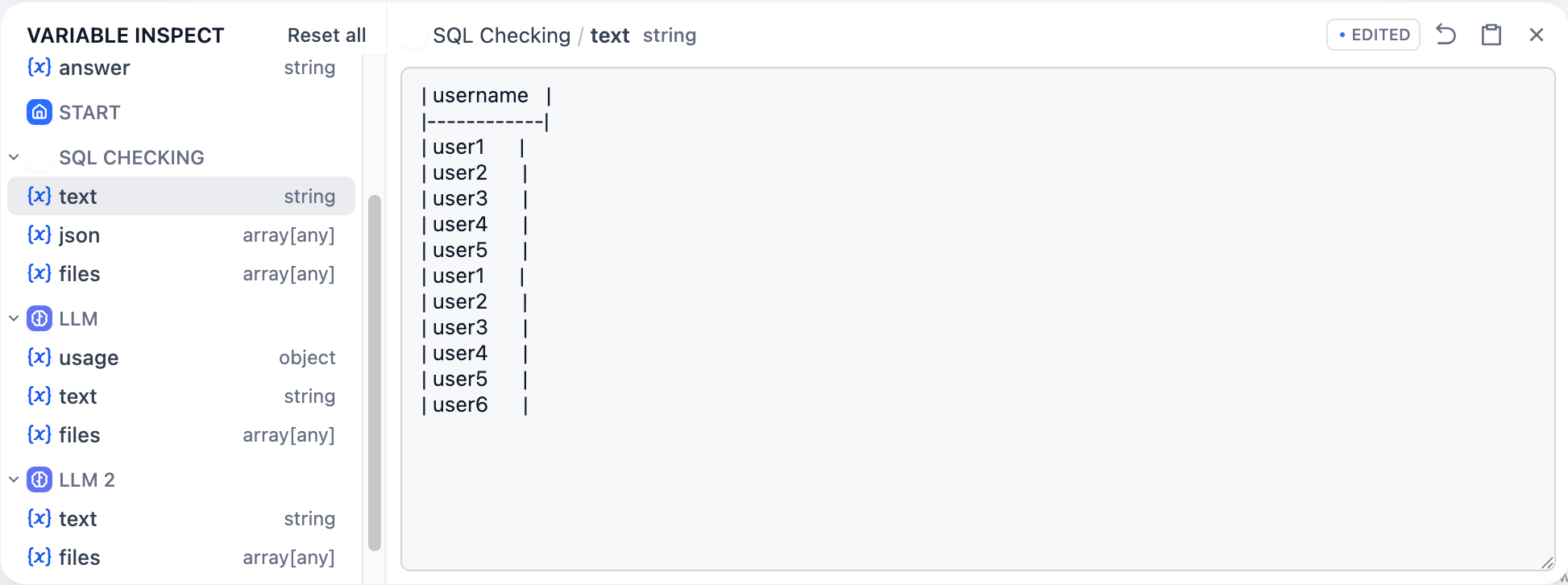
点击任何变量旁边的还原图标以恢复其原始值,或点击"全部重置"以一次性清除所有缓存变量。
|
||
|
||
 |